u - Knihovna
Tvoje osobní knihovna v mobilu
Knihy, půjčky i seznam přání na jednom místě. Naskenuj obálku a appka sama doplní název, autora i popis — bez ručního přepisování.

📚
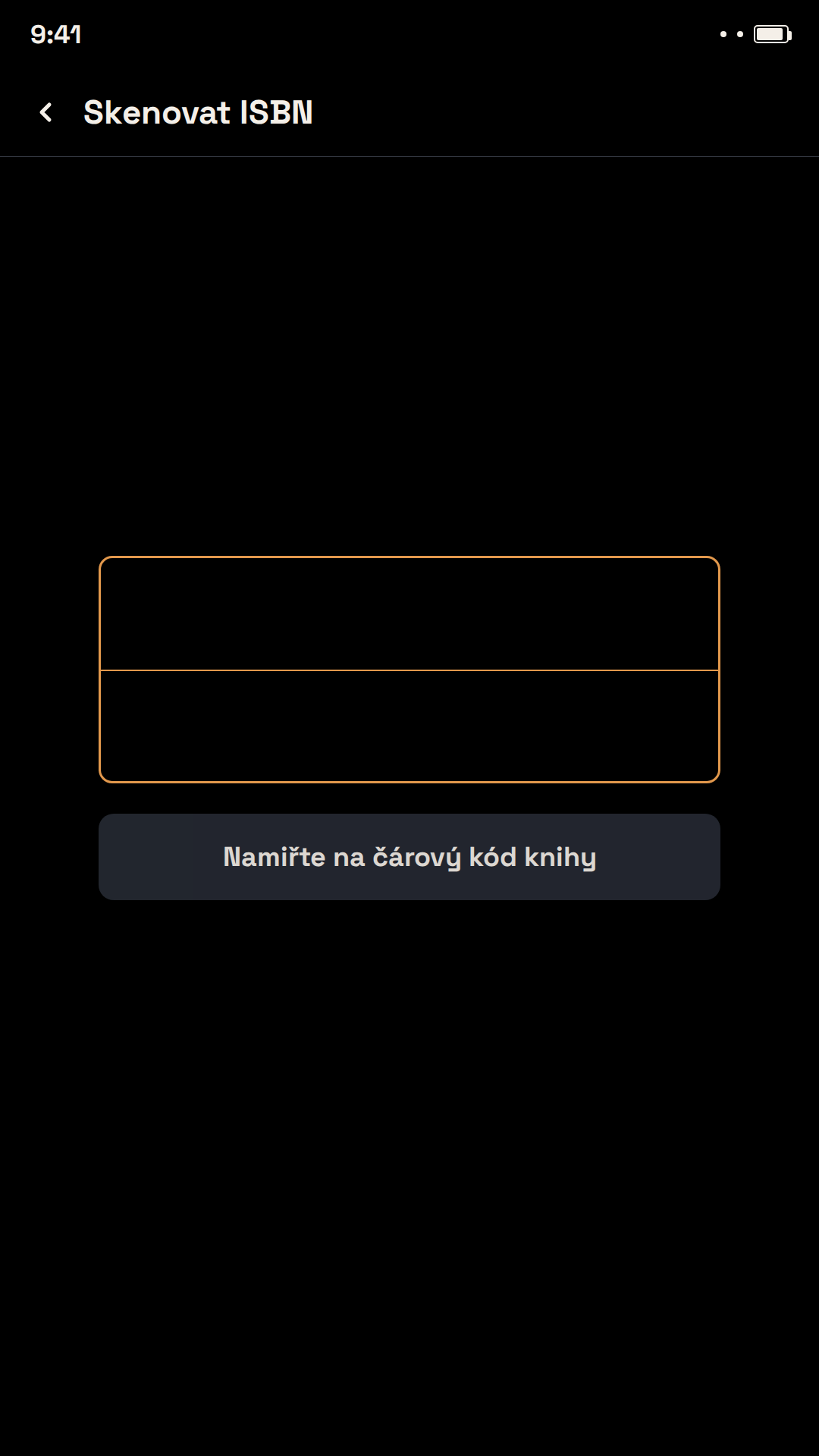
Rychlé přidávání knih
Naskenuj čárový kód na obálce nebo ji jen vyfoť – appka sama rozpozná název, autora a ISBN a doplní obálku, popis a další údaje z Open Library a Google Books. Žádné ruční přepisování.
🔖
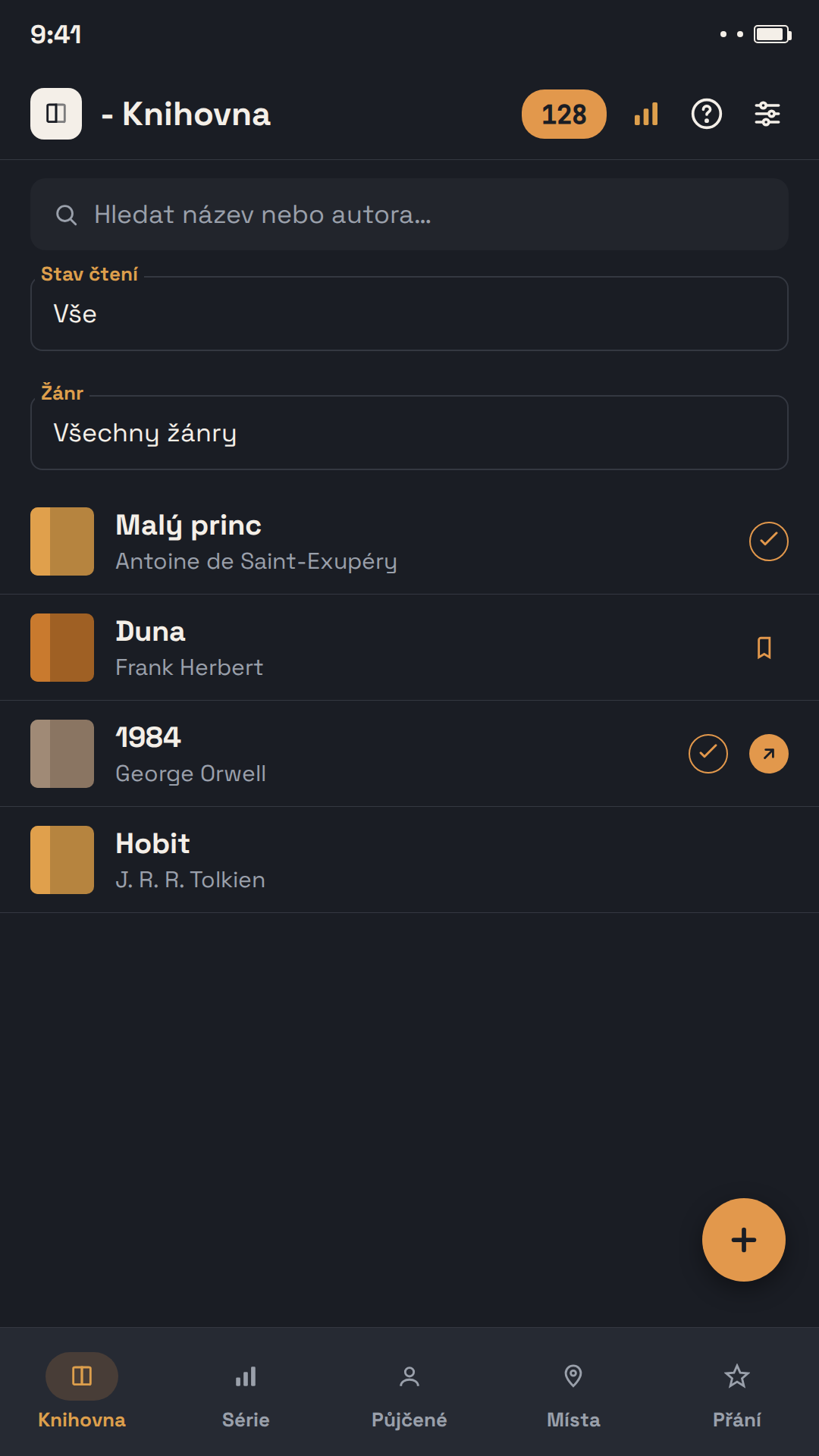
Přehled celé knihovny
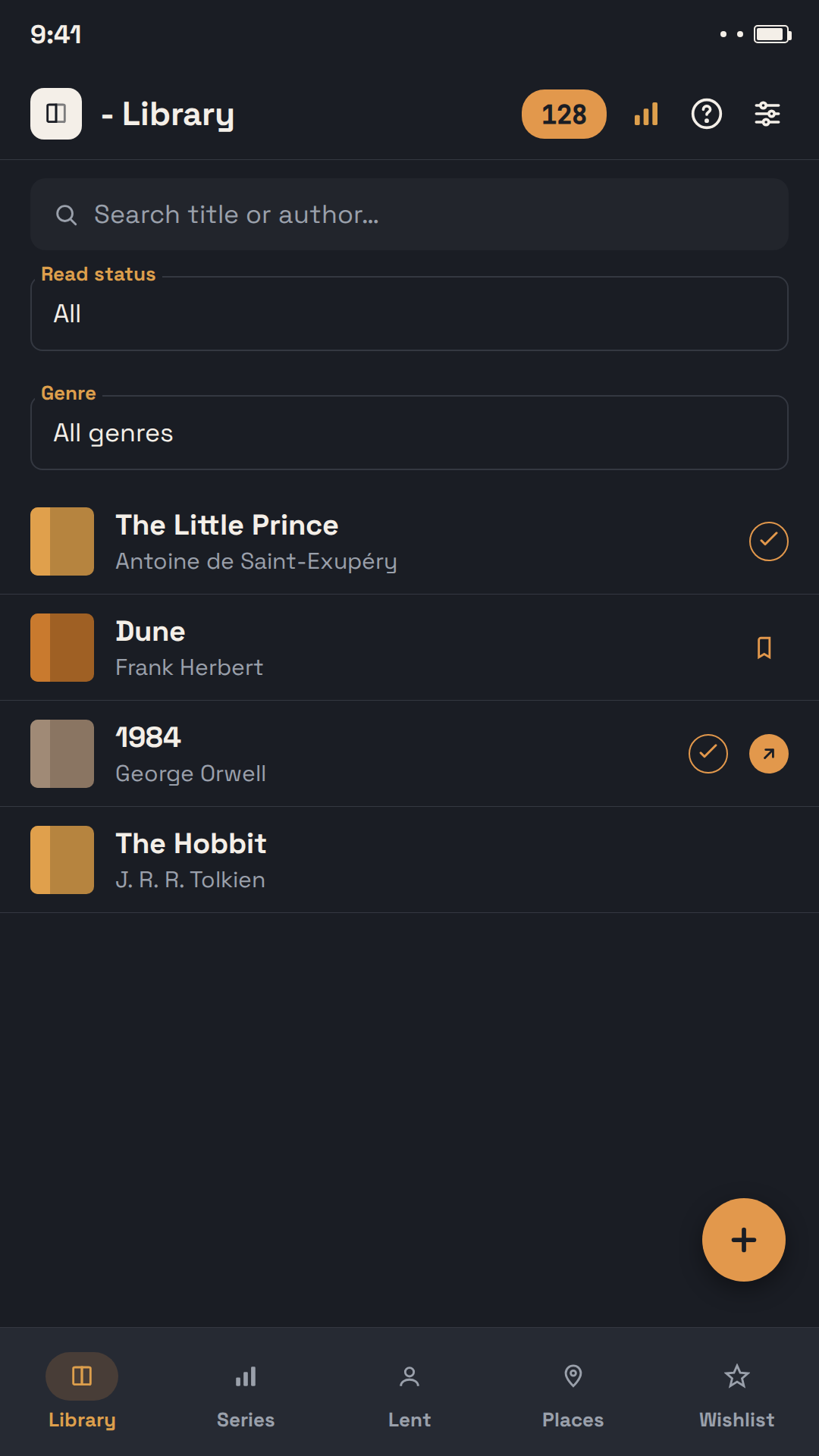
Spravuj tištěné knihy i e-knihy na jednom místě. Ke každé knize přiřaď žánr, autora, sérii a umístění (doma, práce, chata…) a měj přehled o stavu čtení.
🔍
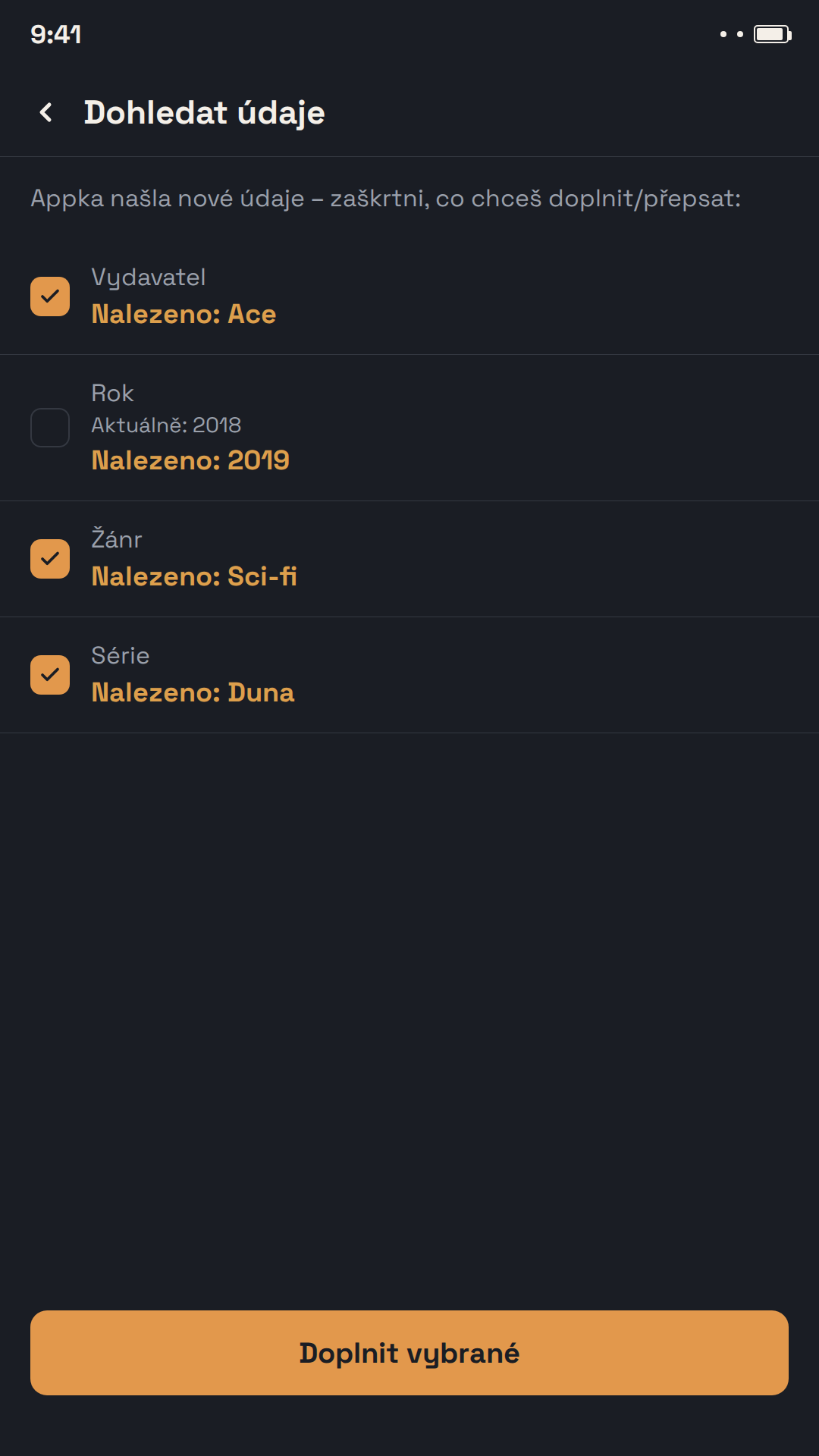
Detail knihy a dohledání údajů
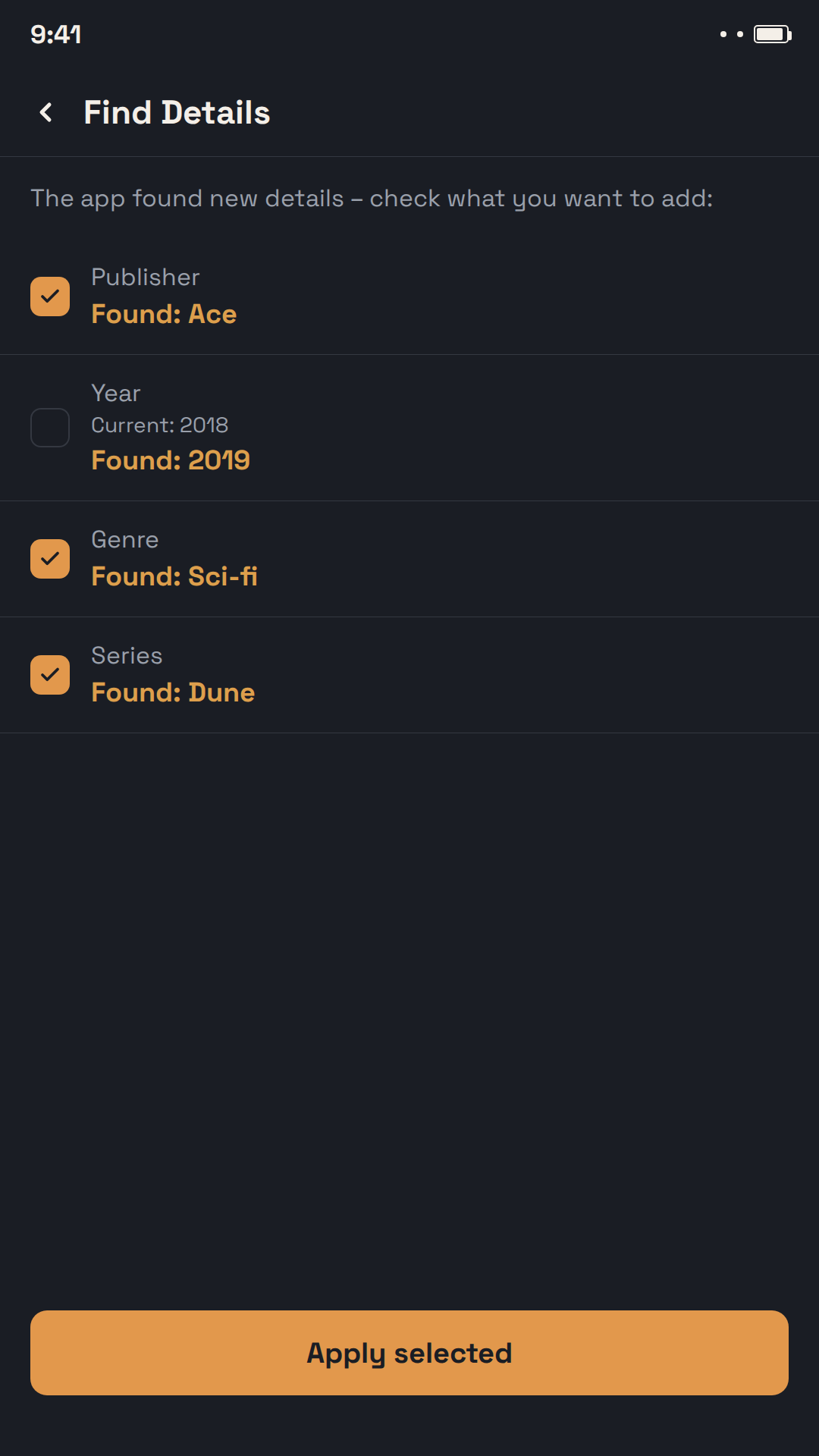
U každé knihy vidíš vše na jednom místě — appka umí dohledat chybějící údaje (autora, rok vydání, popis) přímo z veřejných knižních databází.
🤝
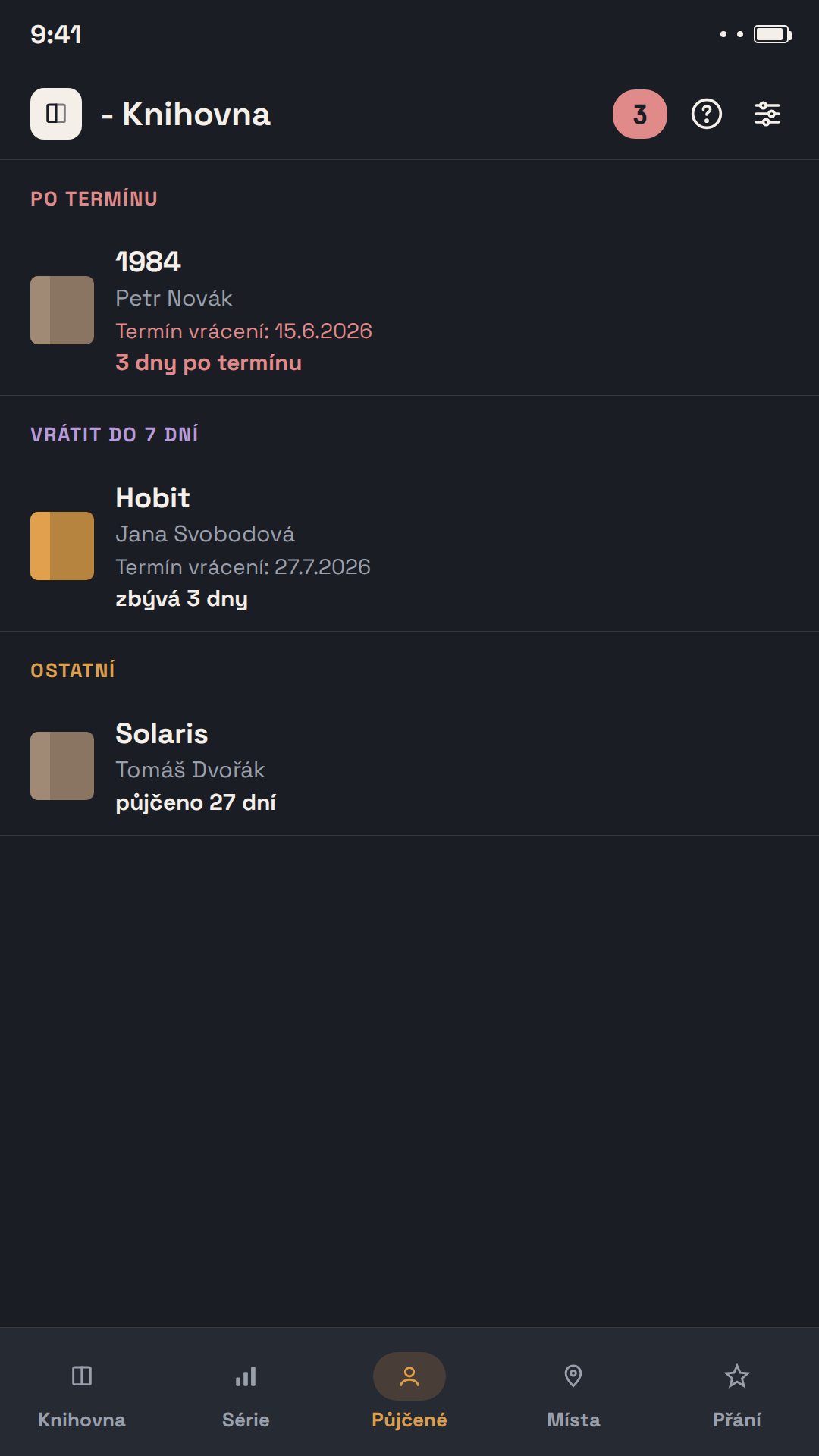
Půjčuj knihy, aniž bys na ně zapomněl/a
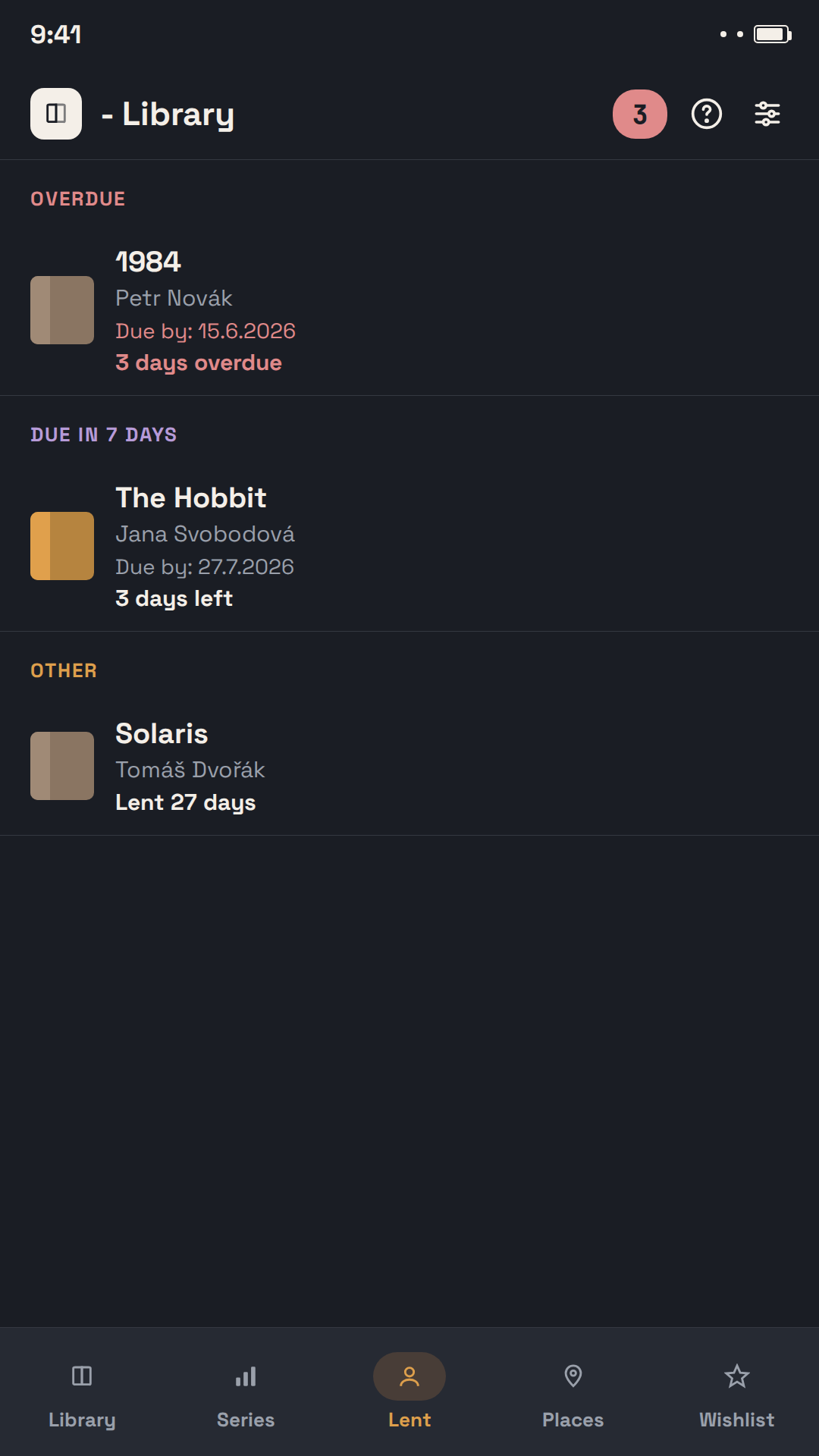
Zapiš si, komu jsi knihu půjčil/a a do kdy – appka tě včas upozorní na vrácení notifikací. I knihy, které sis půjčil/a ty od někoho jiného, appka eviduje zvlášť.
⭐
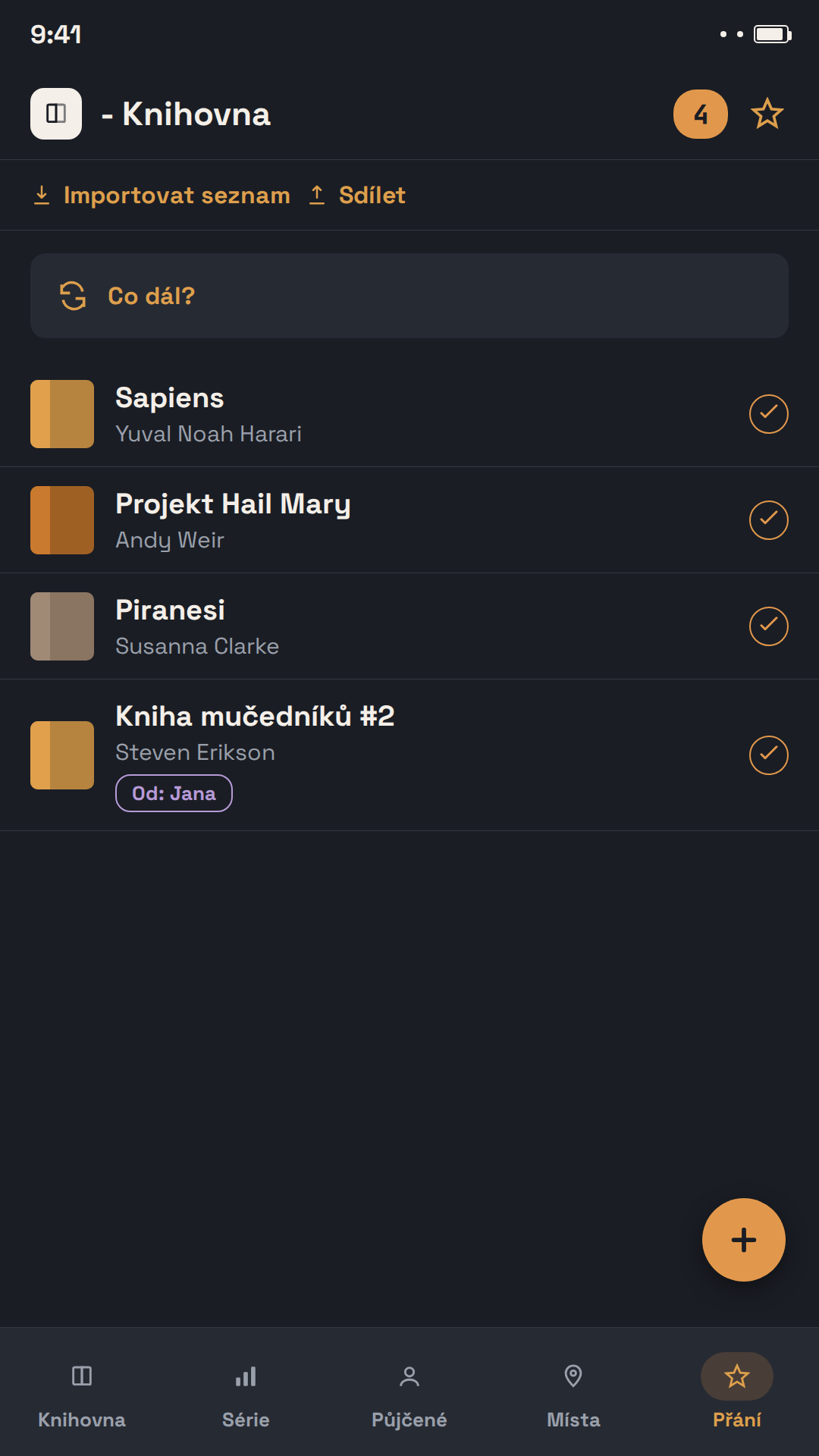
Seznam přání se sdílením
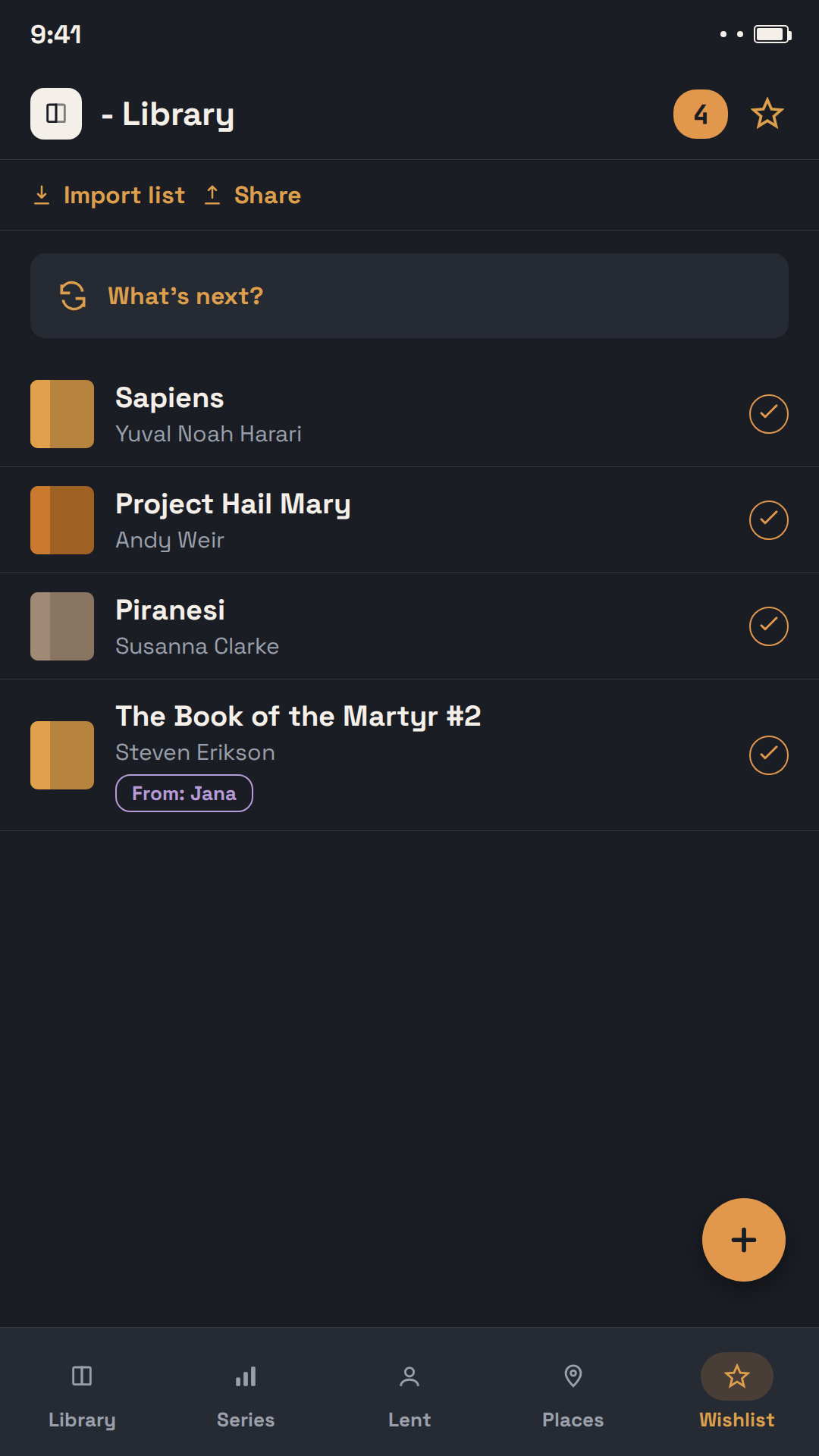
Sbírej knihy, které si přeješ, a sdílej seznam s rodinou nebo přáteli – jako PDF k vytištění, nebo jako soubor pro přímý import do jiné u - Knihovny. Vytištěný seznam má QR kód, přes který si appku stáhne každý, kdo ho uvidí.
📖
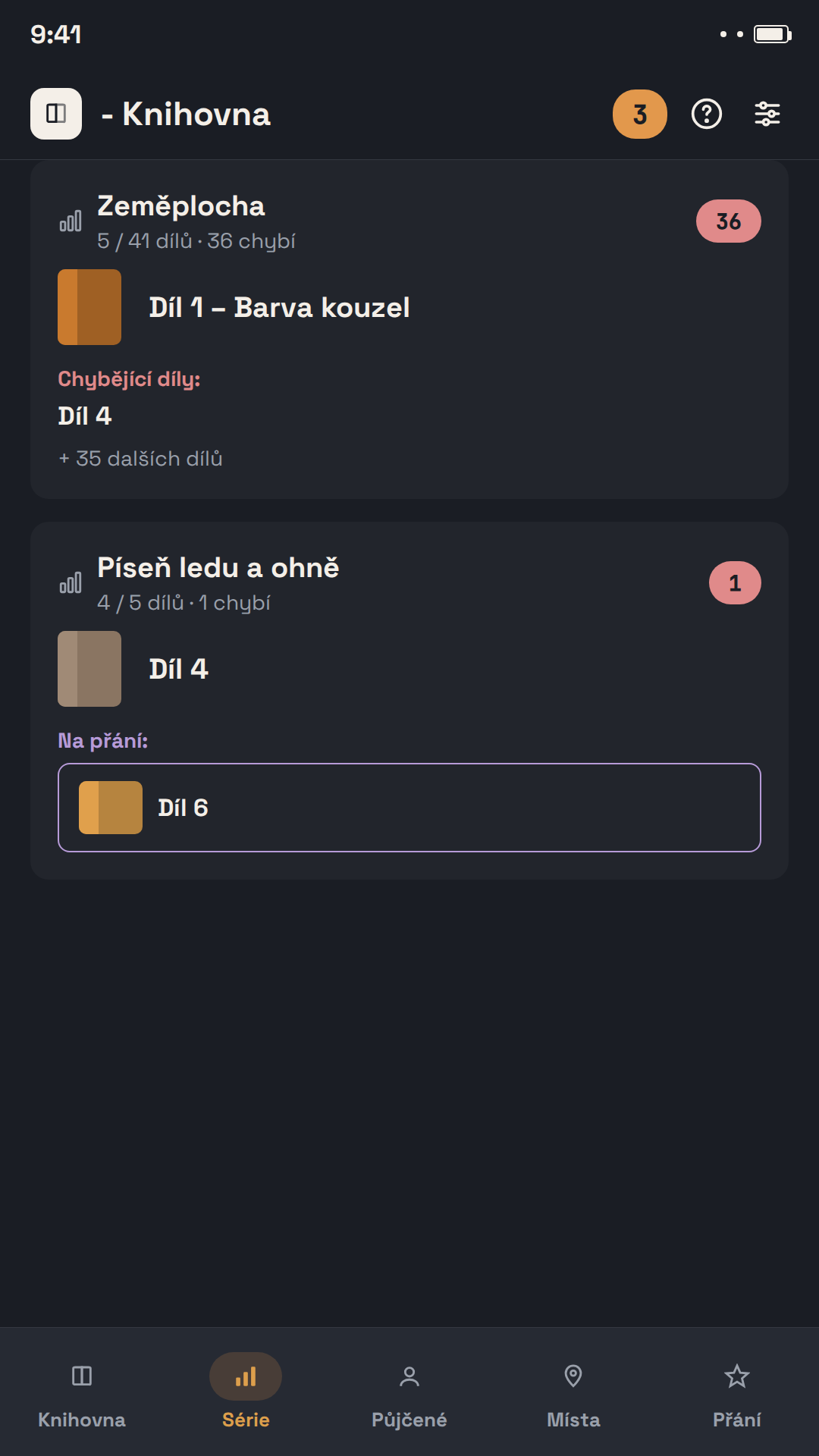
Série přehledně pohromadě
Appka knihy automaticky seskupí podle série a rovnou uvidíš, které díly ti ještě chybí.
📊
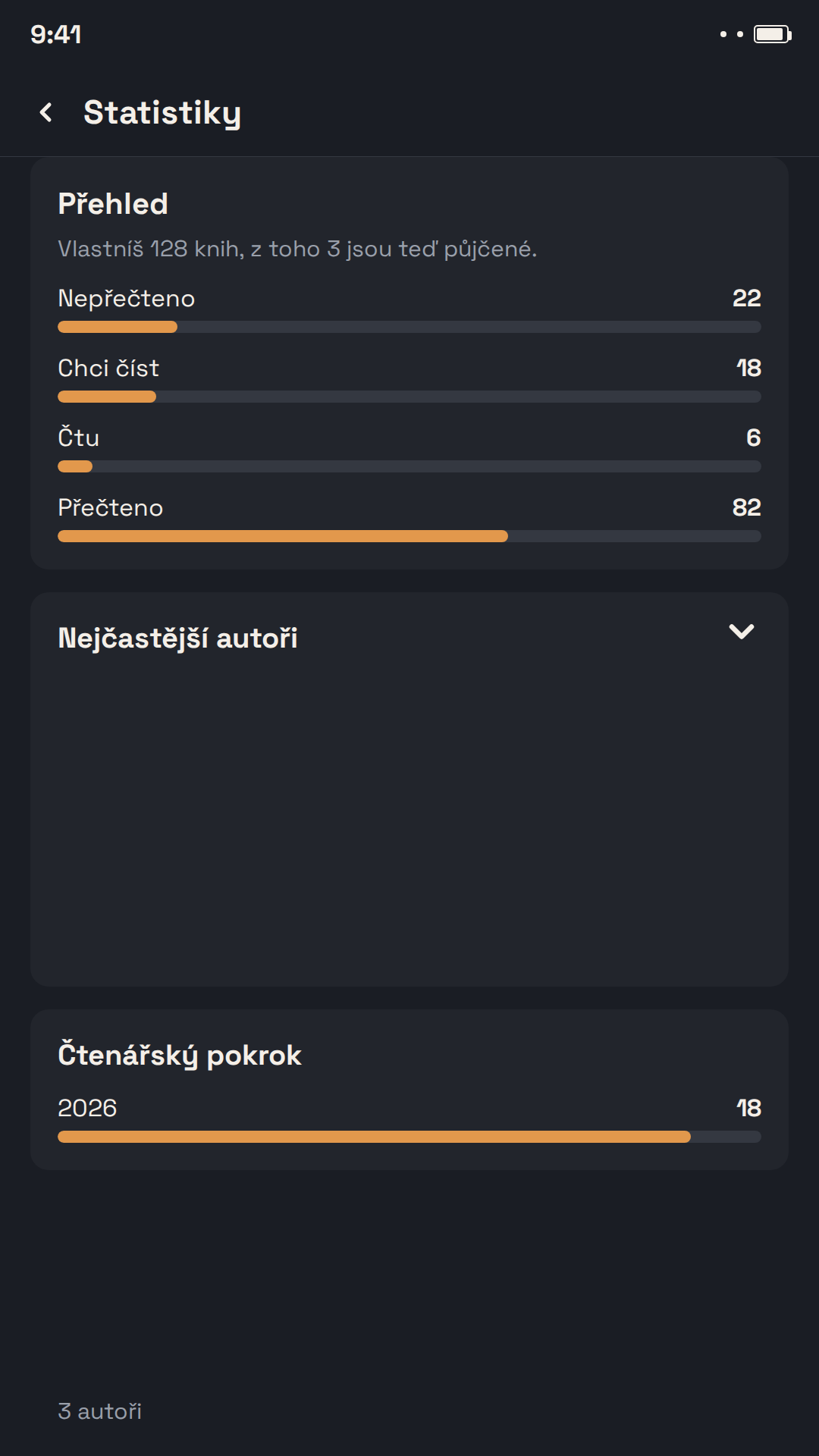
Čtenářské statistiky a roční souhrn
Kolik knih jsi letos přečetl/a? Jaký žánr čteš nejradši? Appka ti automaticky vytvoří přehledný a sdílitelný souhrn tvého čtenářského roku.
🏅
Sběratelské kousky i druhý výtisk
Podepsaná kniha, první vydání nebo číslovaná limitka? Označ ji jako sběratelský kousek – i s číslem výtisku, nákladem a poznámkou, kde jsi podpis získal/a. V seznamu ji pozná ikonka medaile, filtrem si zobrazíš jen svou sbírku a ve statistikách uvidíš, kolik má kousků a jakou hodnotu. A máš-li nějakou knihu dvakrát, appka oba výtisky propojí – každý má vlastní umístění i půjčku, ve statistikách se ale titul počítá jen jednou.
🗂️
Máš některé knihy víckrát? Uklidíš je jedním filtrem
Filtr „Víc výtisků“ ukáže všechny knihy, které máš doma víckrát, a výtisky jednoho titulu uvidíš pěkně pod sebou. Najde i knihy se stejným ISBN, které jsi zatím nepropojil/a – jedním klepnutím je propojíš, nebo appce řekneš, že jde o různé knihy. Přebytečné výtisky pak vybereš a najednou označíš „Už nevlastním“ – z knihovny zmizí, ale v čtenářské historii ti zůstanou.
🔒📱
Data patří tobě, appka tě doprovází i na ploše
Appka funguje kompletně offline, bez účtu a bez registrace. Kdykoliv si vytvoříš úplnou zálohu knihovny k uložení do cloudu nebo do počítače. A widget „Právě čtu" ti přímo na ploše telefonu ukáže, kterou knihu právě čteš a kolikátý den.
u - Library
Your personal library, in your pocket
Books, loans, and your reading wishlist all in one place. Scan a cover and the app fills in the title, author, and description for you — no manual typing.

📚
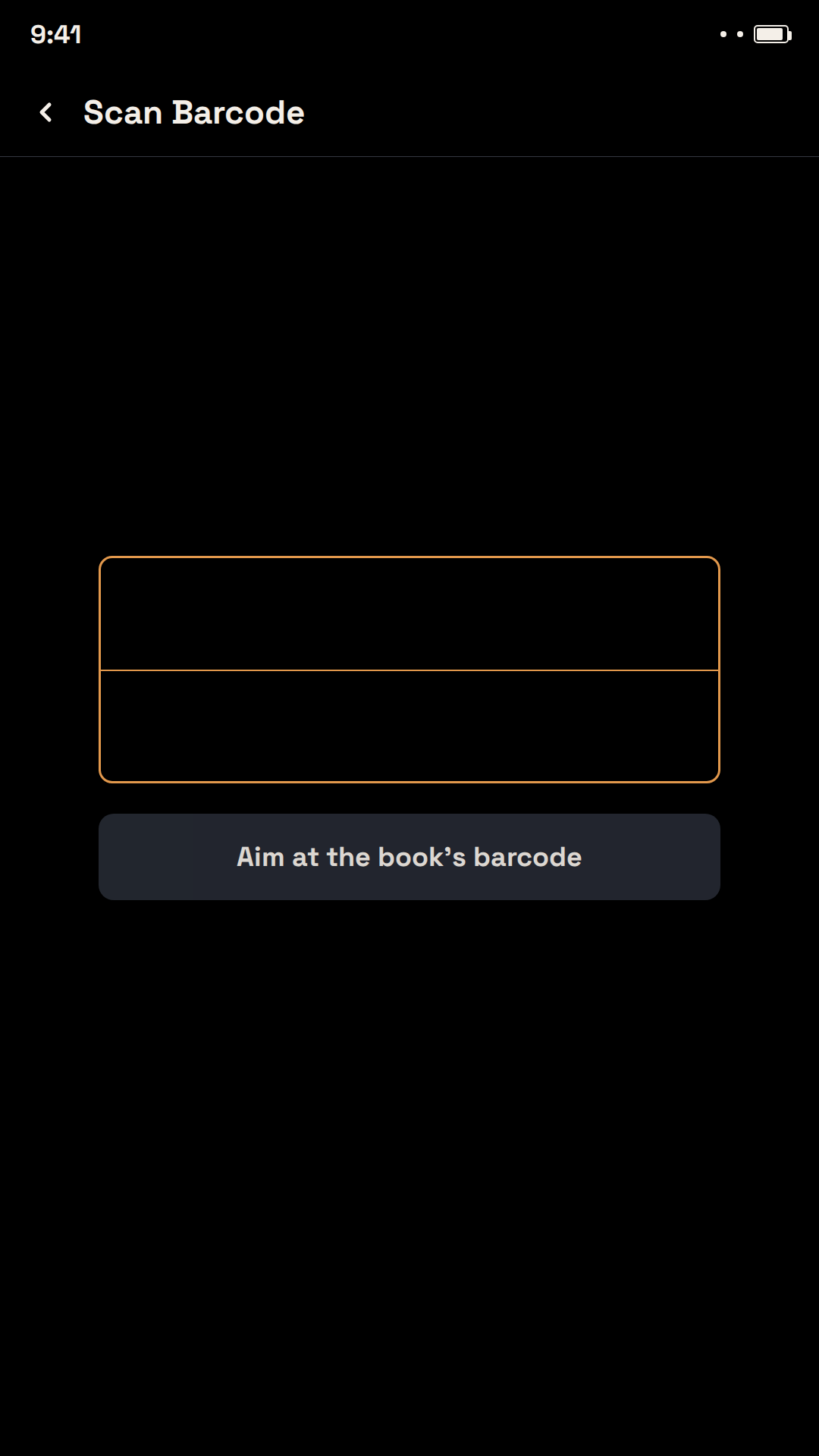
Add books in seconds
Scan the barcode on the cover, or just photograph it – the app recognizes the title, author, and ISBN automatically and fills in the cover, description, and other details from Open Library and Google Books.
🔖
Your whole library, organized
Manage printed books and ebooks in one place. Tag each book with genre, author, series, and location, and keep track of reading status.
🔍
Book detail & auto-lookup
See everything about a book in one place — the app can look up missing details (author, year, description) straight from public book databases.
🤝
Lend books without losing track
Note who borrowed a book and by when – the app reminds you in time with a notification. Books you've borrowed from someone else are tracked separately too.
⭐
Shareable wishlist
Collect the books you want and share the list with family or friends – as a printable PDF, or as a file to import directly into another u - Library. A printed list carries a QR code, so anyone who sees it can get the app.
📖
Series at a glance
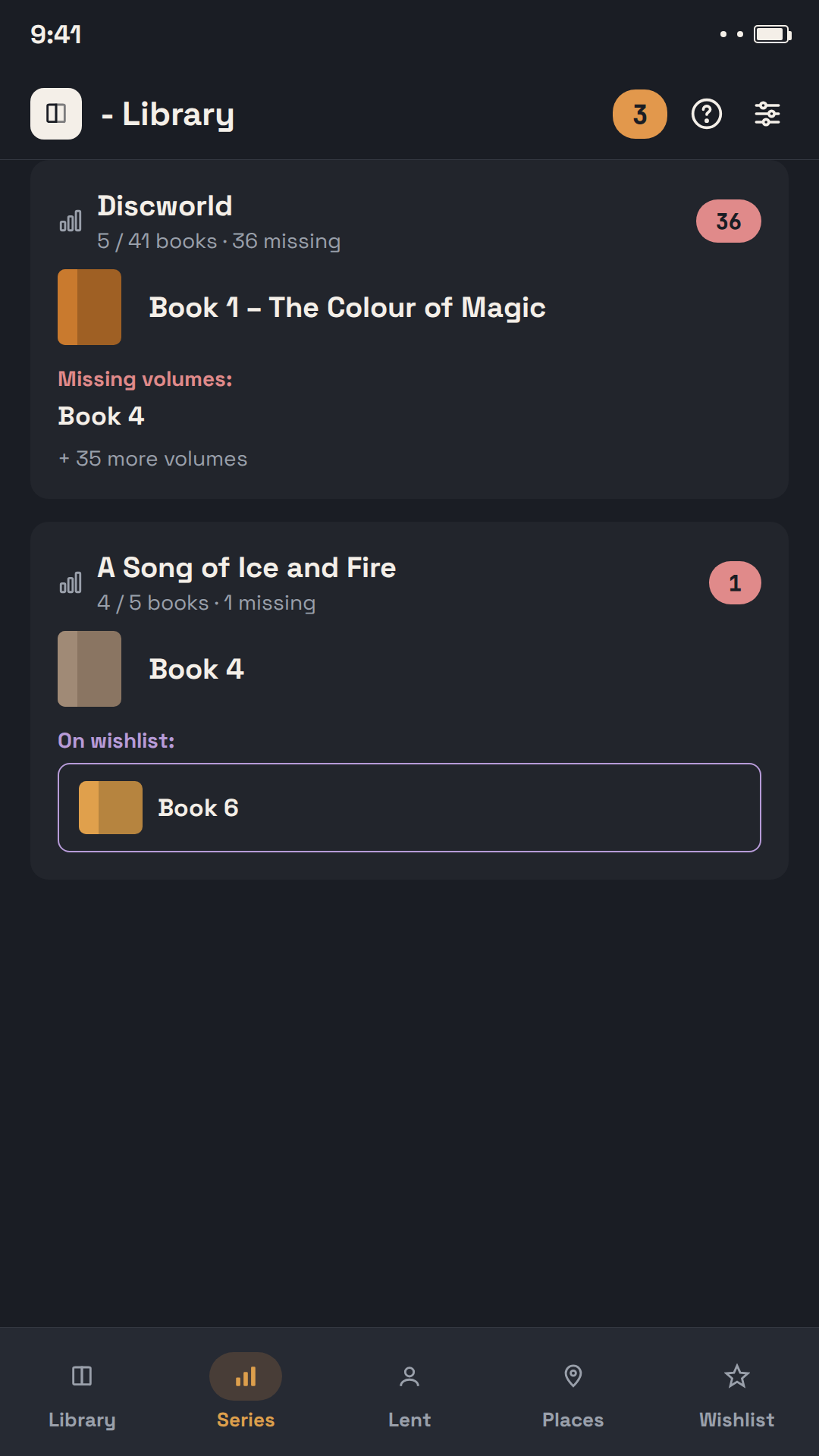
The app automatically groups books by series and shows you right away which volumes you're still missing.
📊
Reading stats & yearly recap
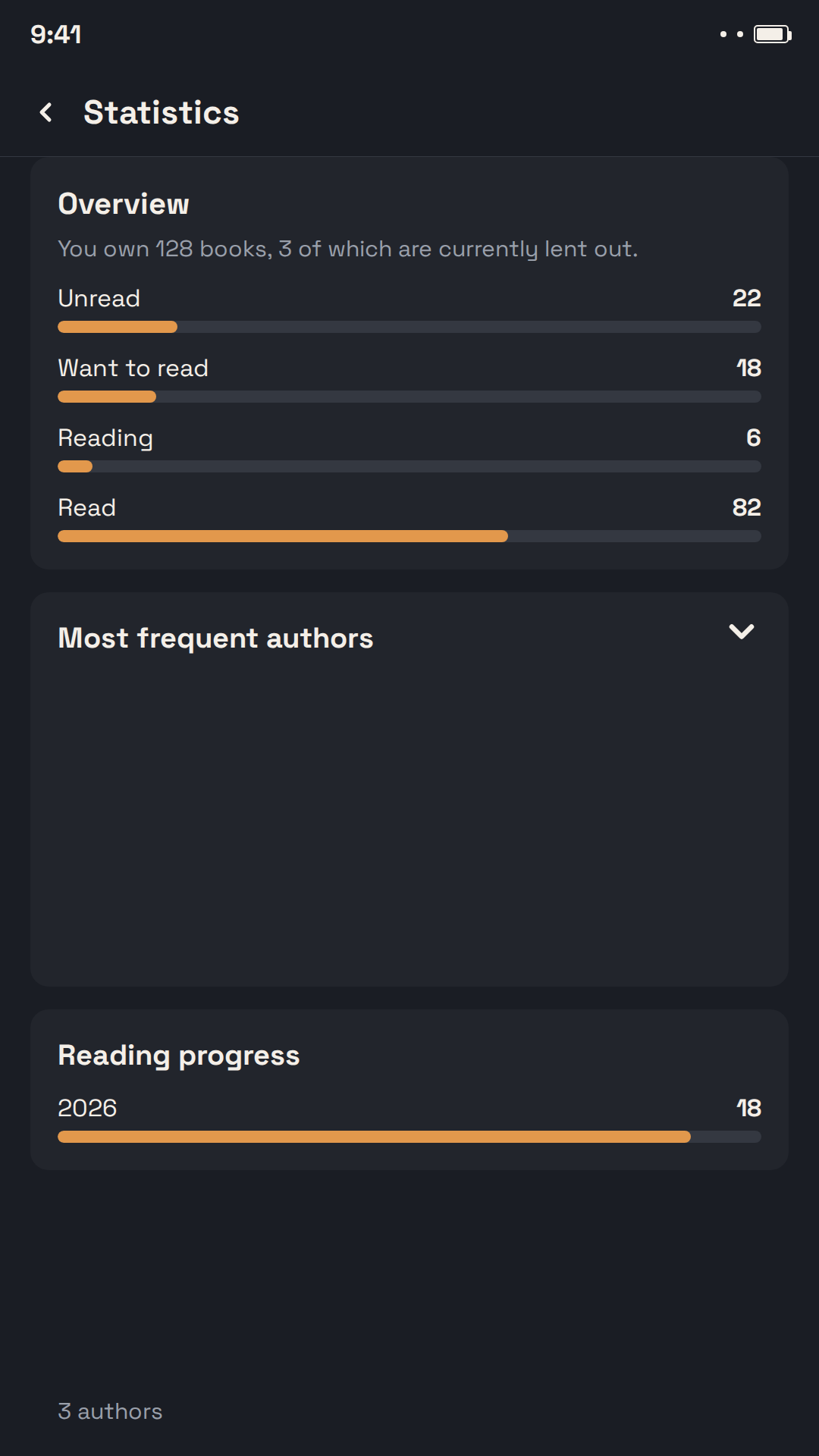
How many books did you read this year? Which genre do you read most? The app automatically builds a shareable summary of your reading habits.
🏅
Collector's items and second copies
A signed book, a first edition or a numbered limited edition? Mark it as a collector's item – with copy number, print run and a note on where you got the signature. A medal icon marks it in lists, a filter shows just your collection, and statistics tell you how many pieces it has and what it's worth. And if you own a book twice, the app links both copies – each keeps its own location and loan, while statistics count the title only once.
🗂️
Own some books more than once? Tidy up with one filter
The “Multiple copies” filter shows every book you own more than once, with all copies of a title listed together. It also finds books with the same ISBN that you haven't linked yet – link them with a single tap, or tell the app they are different books. Then select the extra copies and mark them “No longer own it” in one go – they leave your library but stay in your reading history.
🔒📱
Your data stays yours, right on your home screen
The app works fully offline, with no account and no registration. Create a complete backup any time, to save to the cloud or your computer. The "Currently reading" widget shows right on your home screen which book you're reading and for how many days.
u - Bibliothek
Deine persönliche Bibliothek in der Hosentasche
Bücher, Ausleihen und Wunschliste an einem Ort. Scanne ein Cover und die App ergänzt Titel, Autor und Beschreibung automatisch — kein Abtippen nötig.

📚
Bücher in Sekunden hinzufügen
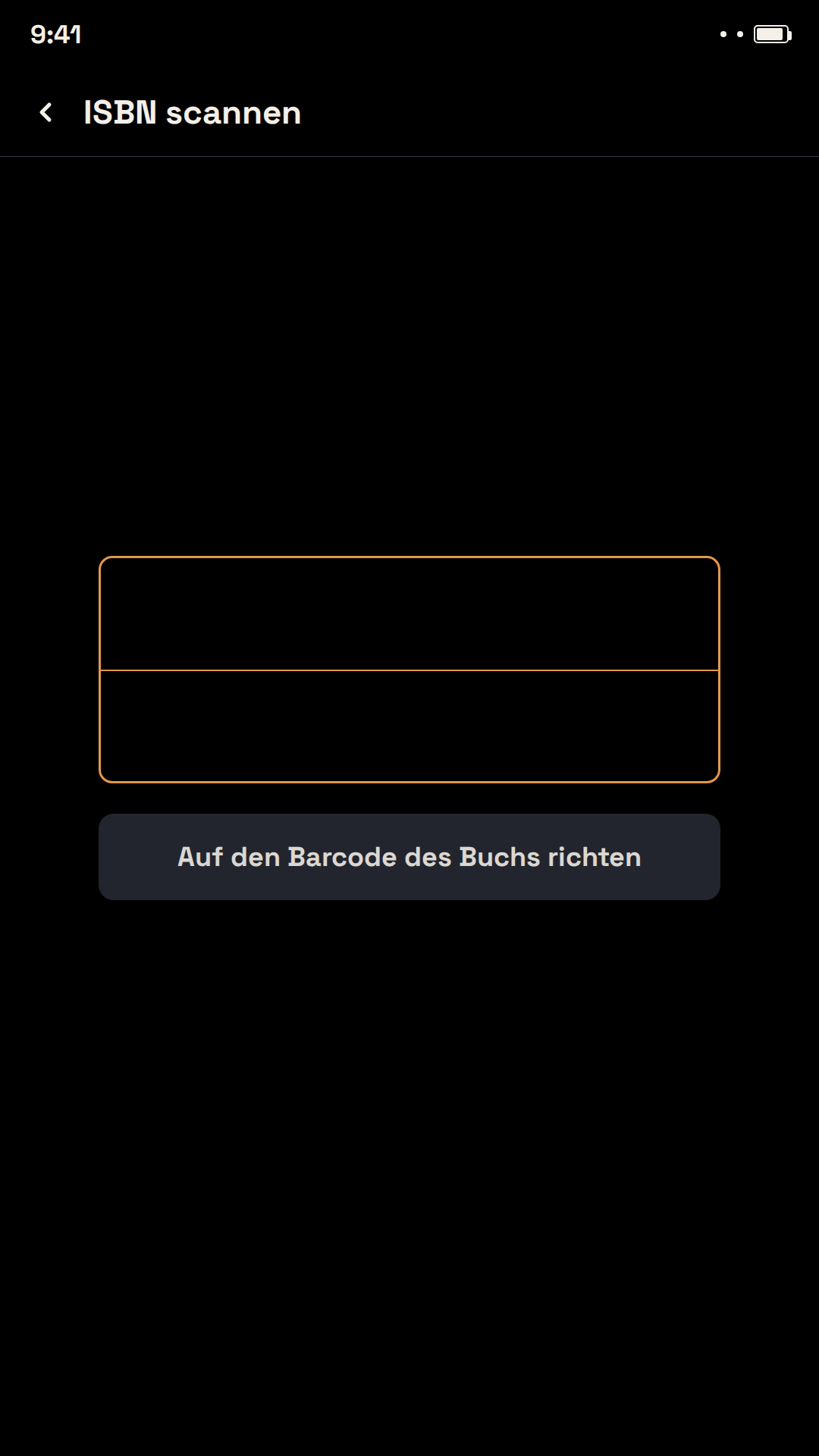
Scanne den Barcode auf dem Cover oder fotografiere es einfach – die App erkennt Titel, Autor und ISBN automatisch und ergänzt Cover, Beschreibung und weitere Angaben aus Open Library und Google Books.
🔖
Deine ganze Bibliothek im Überblick
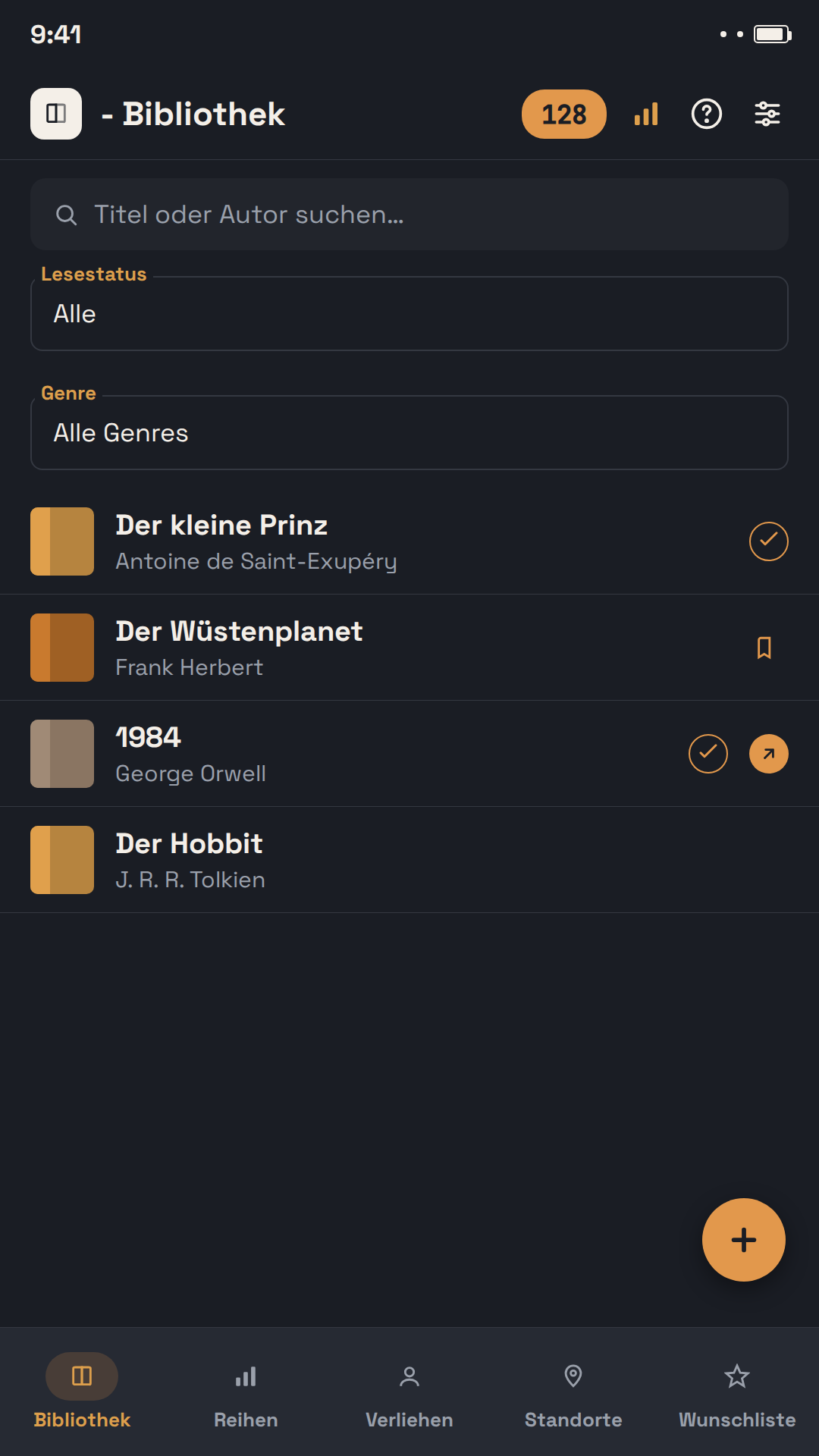
Verwalte gedruckte Bücher und E-Books an einem Ort. Ordne jedem Buch Genre, Autor, Reihe und Standort zu und behalte den Lesestatus im Blick.
🔍
Buchdetails & automatische Suche
Alles zu einem Buch auf einen Blick — die App kann fehlende Angaben (Autor, Jahr, Beschreibung) direkt aus öffentlichen Buchdatenbanken nachschlagen.
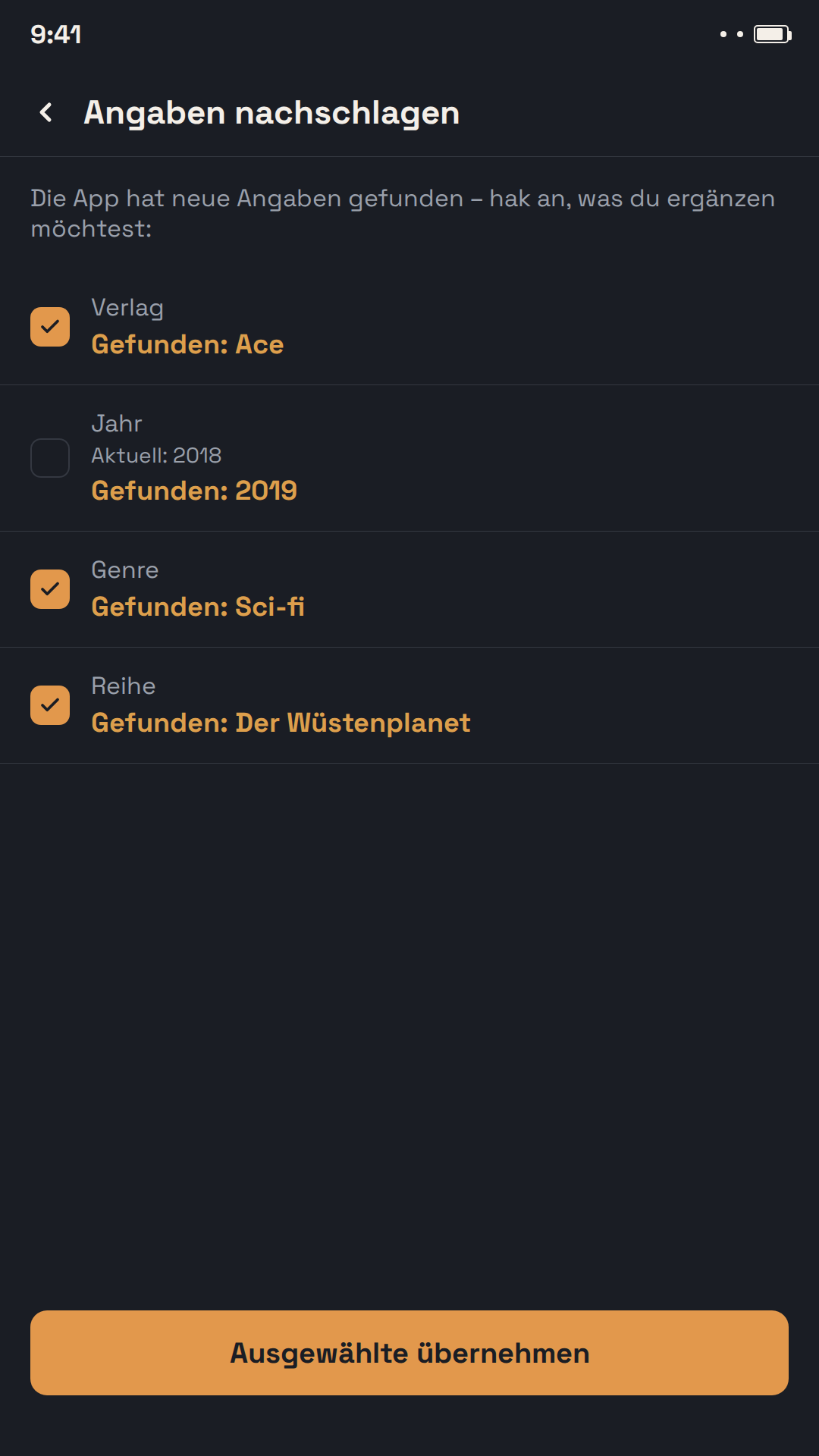
🤝
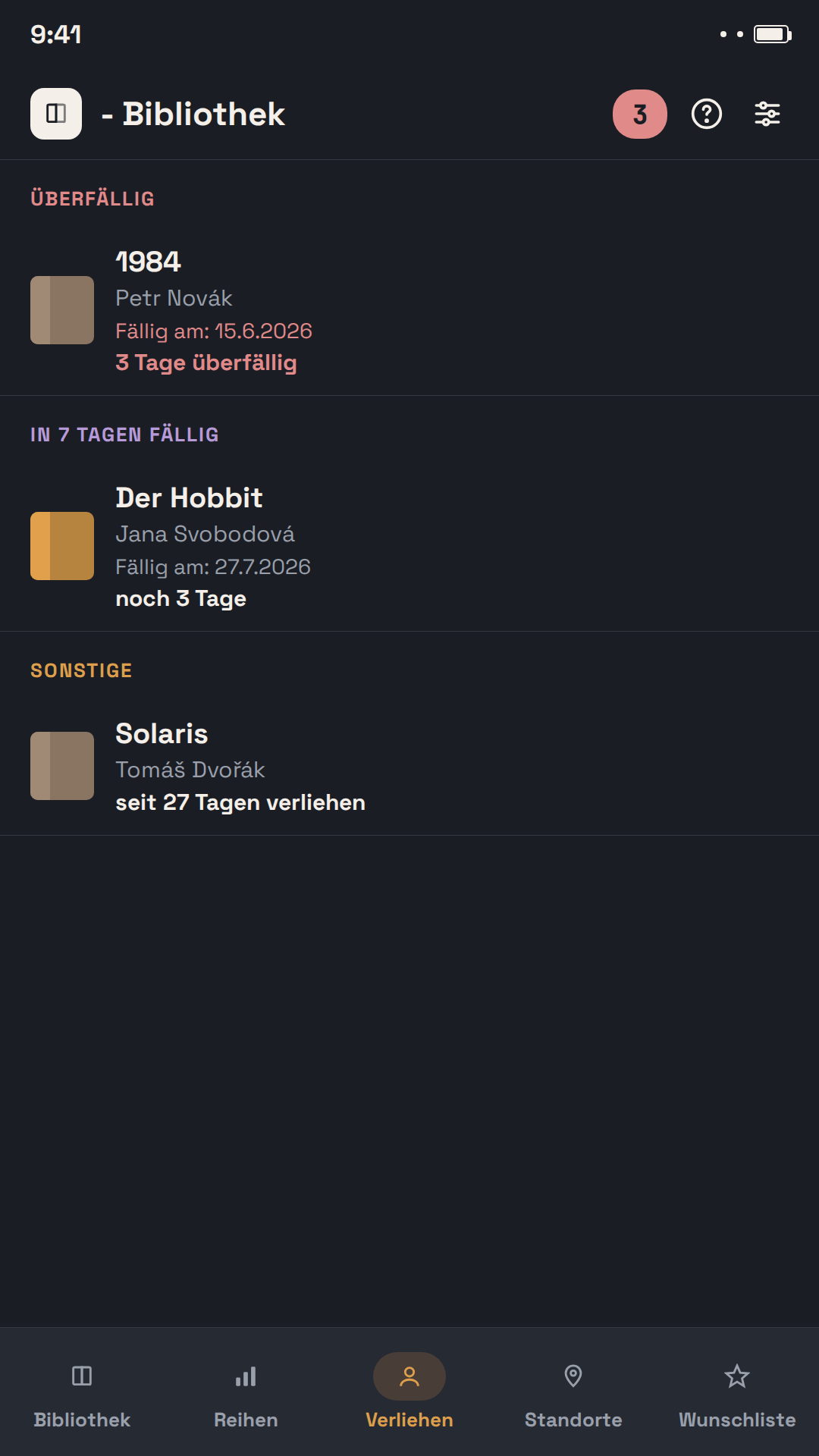
Bücher verleihen, ohne sie zu vergessen
Trage ein, wem du ein Buch geliehen hast und bis wann – die App erinnert dich rechtzeitig per Benachrichtigung. Auch selbst geliehene Bücher werden separat verwaltet.
⭐
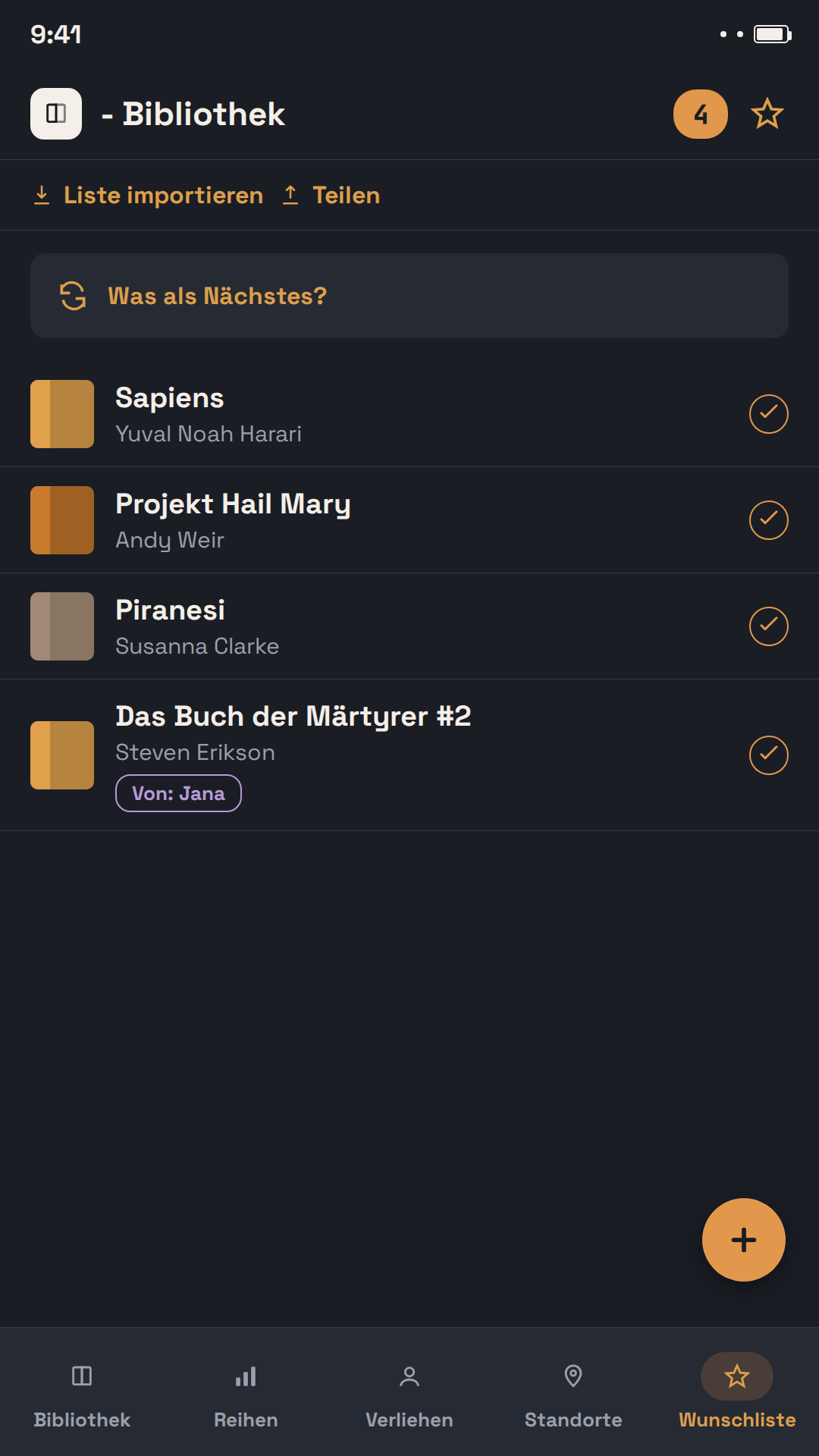
Wunschliste mit Teilfunktion
Sammle Bücher, die du dir wünschst, und teile die Liste mit Familie oder Freunden – als PDF zum Ausdrucken oder als Datei zum direkten Import in eine andere u - Bibliothek. Eine ausgedruckte Liste trägt einen QR-Code, über den sich jeder die App holen kann.
📖
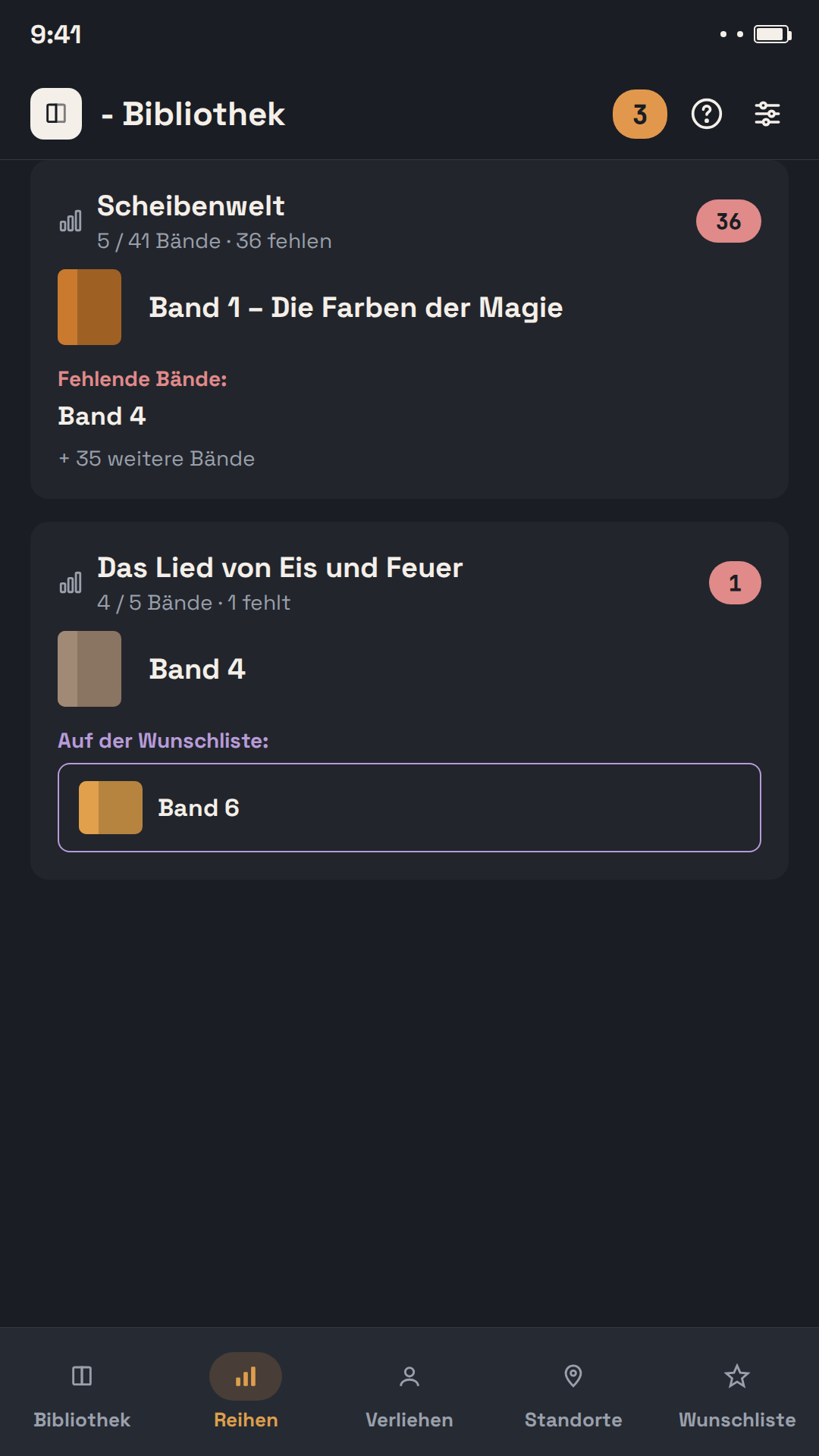
Reihen im Überblick
Die App gruppiert Bücher automatisch nach Reihe und zeigt dir sofort, welche Bände dir noch fehlen.
📊
Lesestatistiken & Jahresrückblick
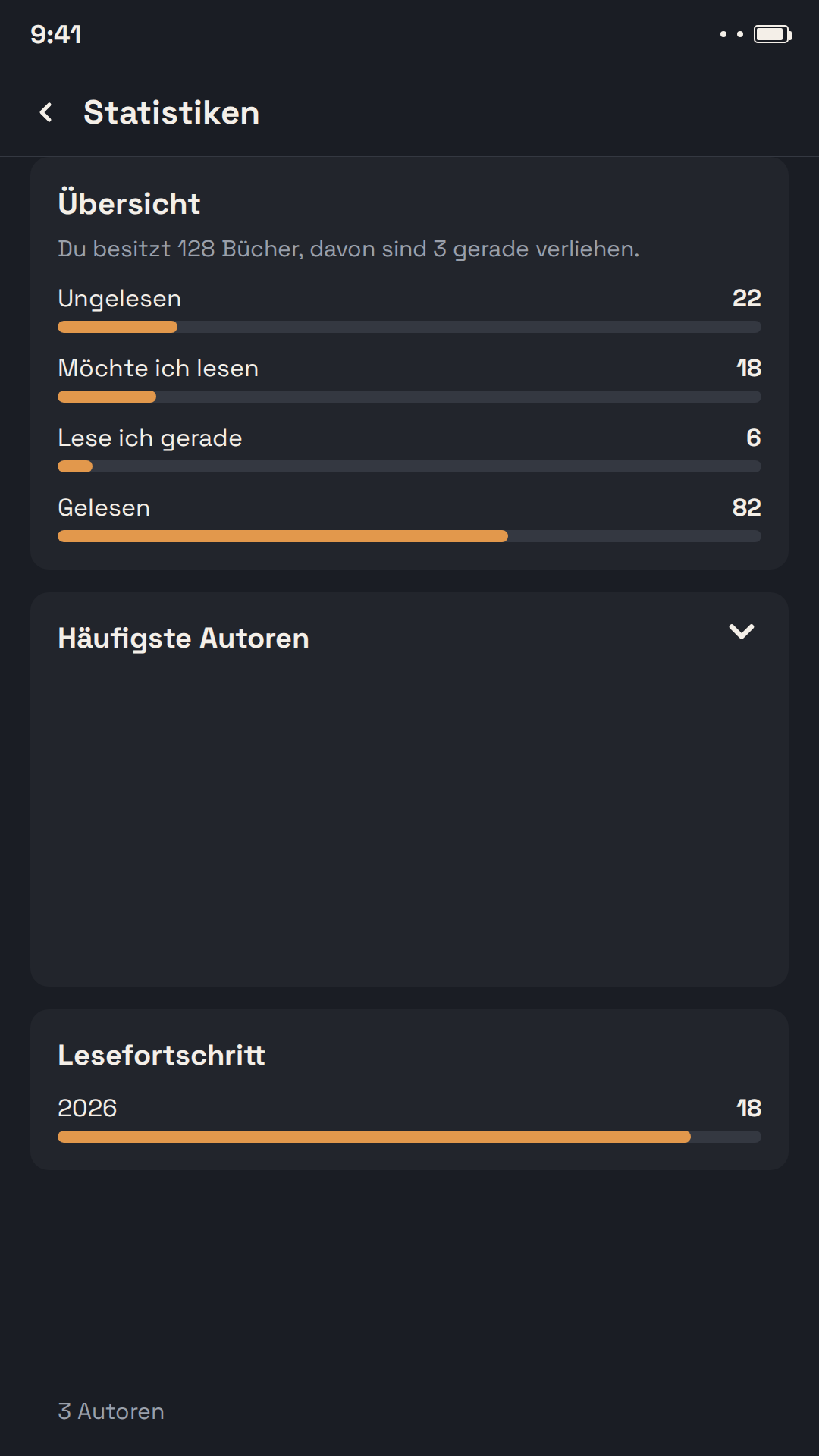
Wie viele Bücher hast du dieses Jahr gelesen? Welches Genre liest du am liebsten? Die App erstellt automatisch eine teilbare Jahresübersicht.
🏅
Sammlerstücke und Zweitexemplare
Ein signiertes Buch, eine Erstausgabe oder eine nummerierte limitierte Auflage? Markiere es als Sammlerstück – mit Exemplarnummer, Auflage und einer Notiz, wo du die Signatur bekommen hast. In Listen erkennst du es am Medaillen-Symbol, ein Filter zeigt nur deine Sammlung, und die Statistik verrät, wie viele Stücke sie hat und was sie wert ist. Und besitzt du ein Buch doppelt, verknüpft die App beide Exemplare – jedes mit eigenem Standort und eigener Ausleihe, in der Statistik zählt der Titel aber nur einmal.
🗂️
Manche Bücher doppelt? Ein Filter schafft Ordnung
Der Filter „Mehrere Exemplare“ zeigt alle Bücher, die du mehrfach besitzt – die Exemplare eines Titels stehen übersichtlich untereinander. Er findet auch Bücher mit gleicher ISBN, die du noch nicht verknüpft hast: Mit einem Tippen verknüpfst du sie, oder du sagst der App, dass es verschiedene Bücher sind. Überzählige Exemplare wählst du dann aus und markierst sie auf einmal als „Nicht mehr im Besitz“ – sie verschwinden aus der Bibliothek, bleiben aber in deiner Lesehistorie.
🔒📱
Deine Daten gehören dir – direkt auf dem Startbildschirm
Die App funktioniert komplett offline, ganz ohne Konto oder Registrierung. Erstelle jederzeit eine vollständige Sicherung zum Speichern in der Cloud oder auf dem Computer. Das Widget „Aktuell gelesen" zeigt direkt auf deinem Startbildschirm, welches Buch du gerade liest und seit wie vielen Tagen.
u - Bibliothek ausprobieren
u - Bibliothèque
Ta bibliothèque personnelle, dans ta poche
Livres, prêts et liste de souhaits au même endroit. Scanne une couverture et l'application complète le titre, l'auteur et la description automatiquement — sans aucune saisie manuelle.
📚
Ajoute tes livres en quelques secondes
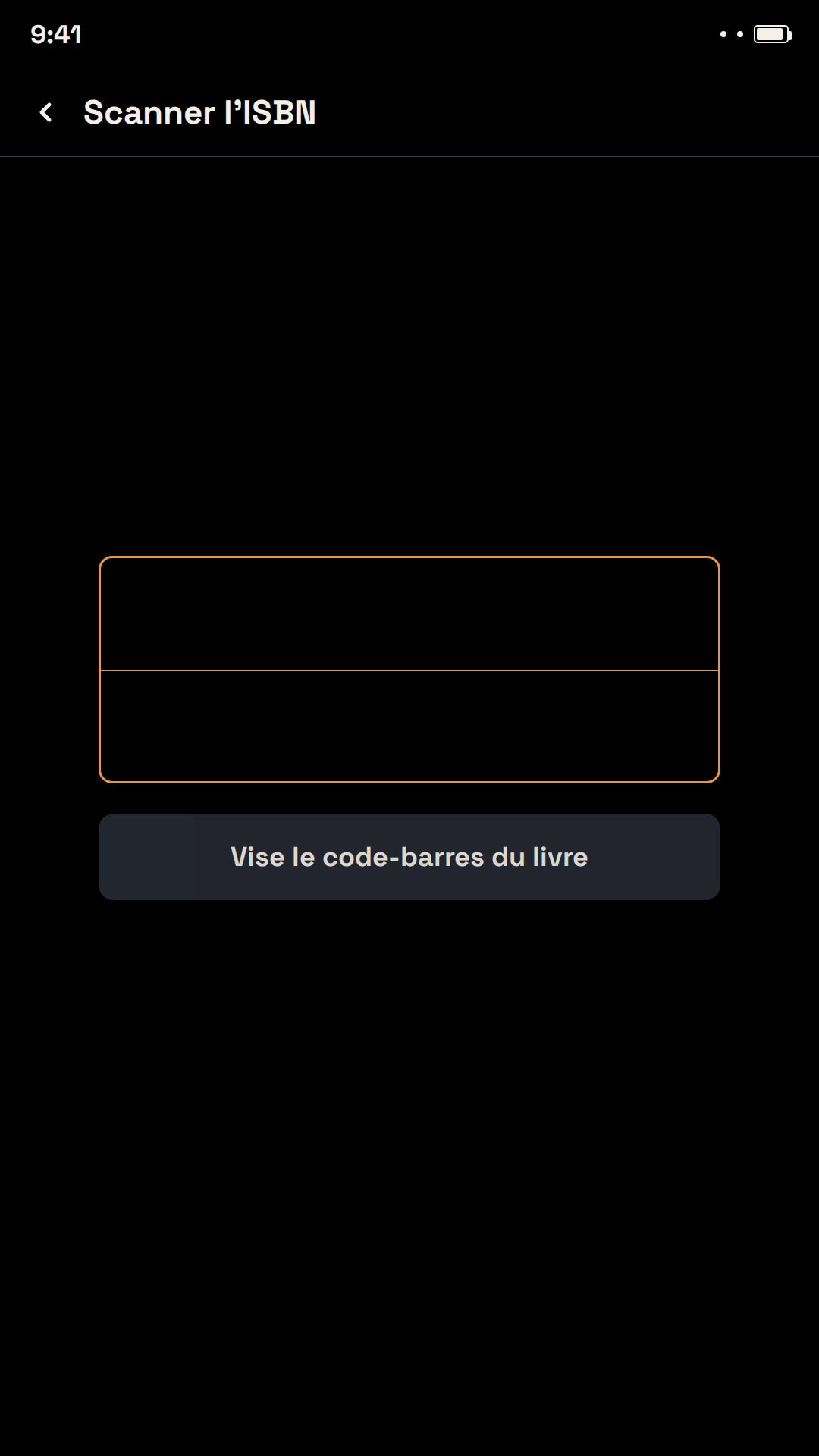
Scanne le code-barres de la couverture ou photographie-la simplement – l'application reconnaît automatiquement le titre, l'auteur et l'ISBN, et complète la couverture, la description et d'autres informations via Open Library et Google Books.
🔖
Toute ta collection en un coup d'œil
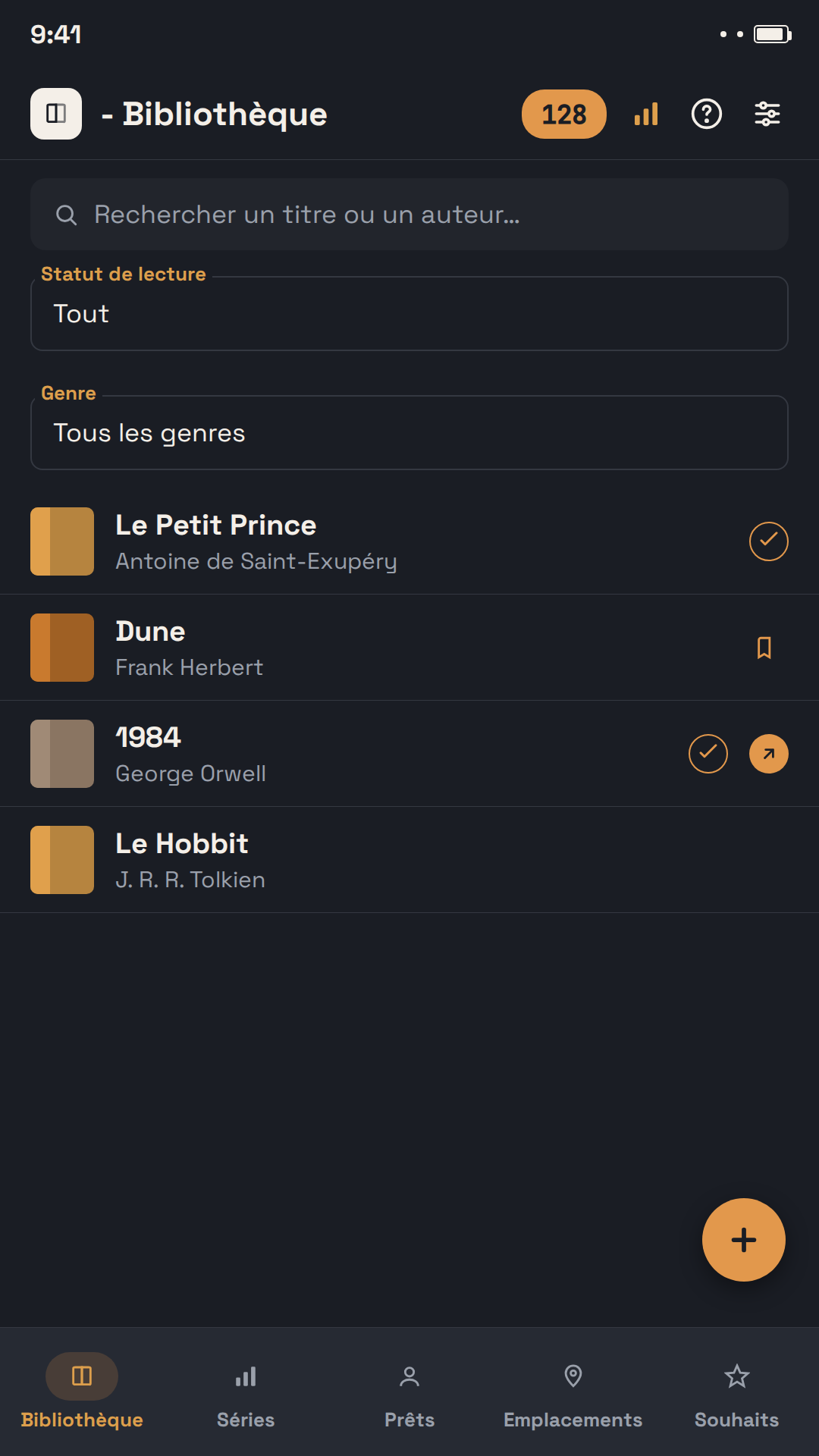
Gère livres papier et ebooks dans une seule application. Associe à chaque livre un genre, un auteur, une série et un emplacement, et garde une vue d'ensemble de ton statut de lecture.
🔍
Détail du livre & recherche automatique
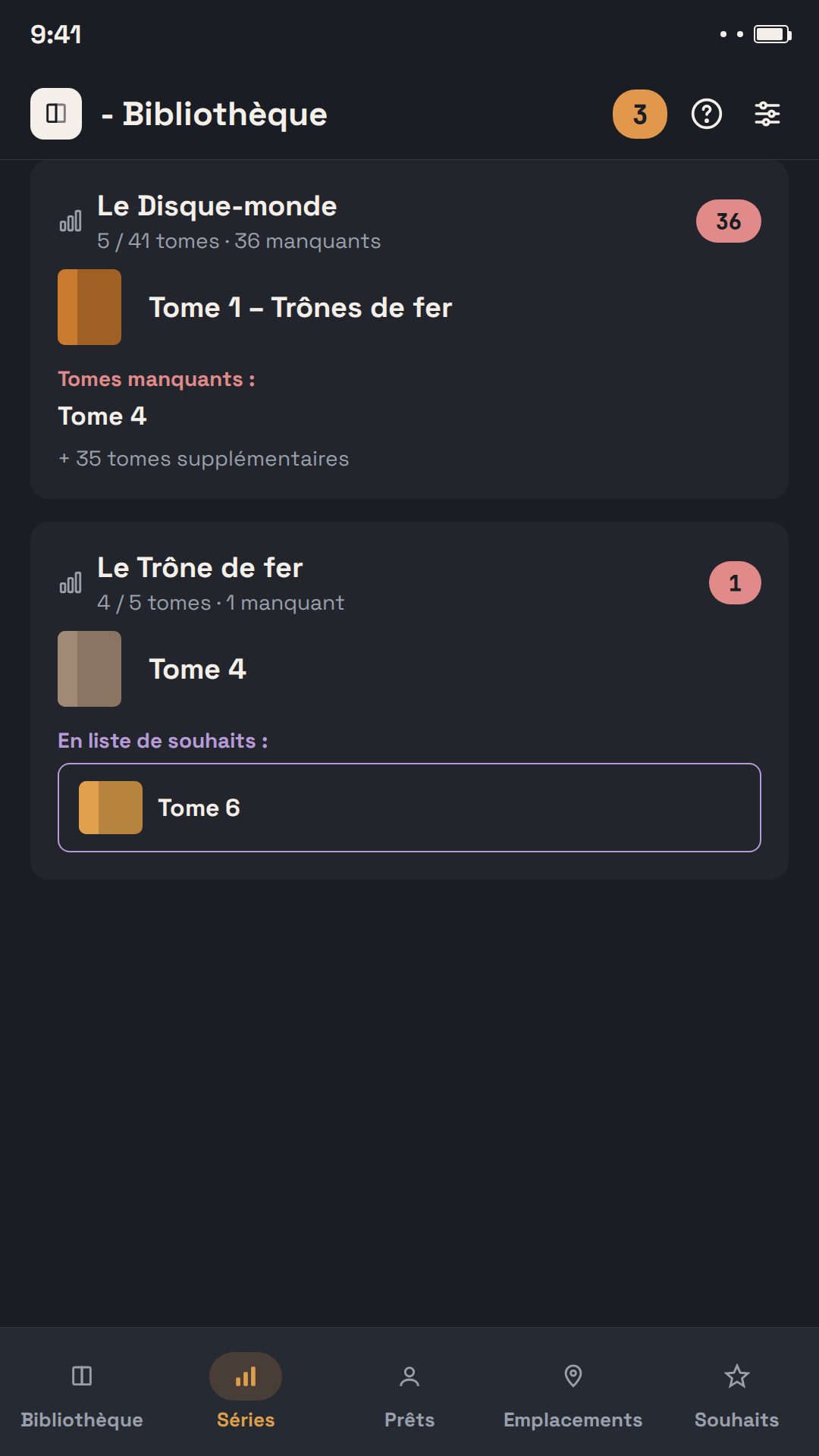
Tout sur un livre en un seul endroit — l'application peut retrouver les informations manquantes (auteur, année, description) directement dans des bases de données publiques.
🤝
Prête tes livres sans les oublier
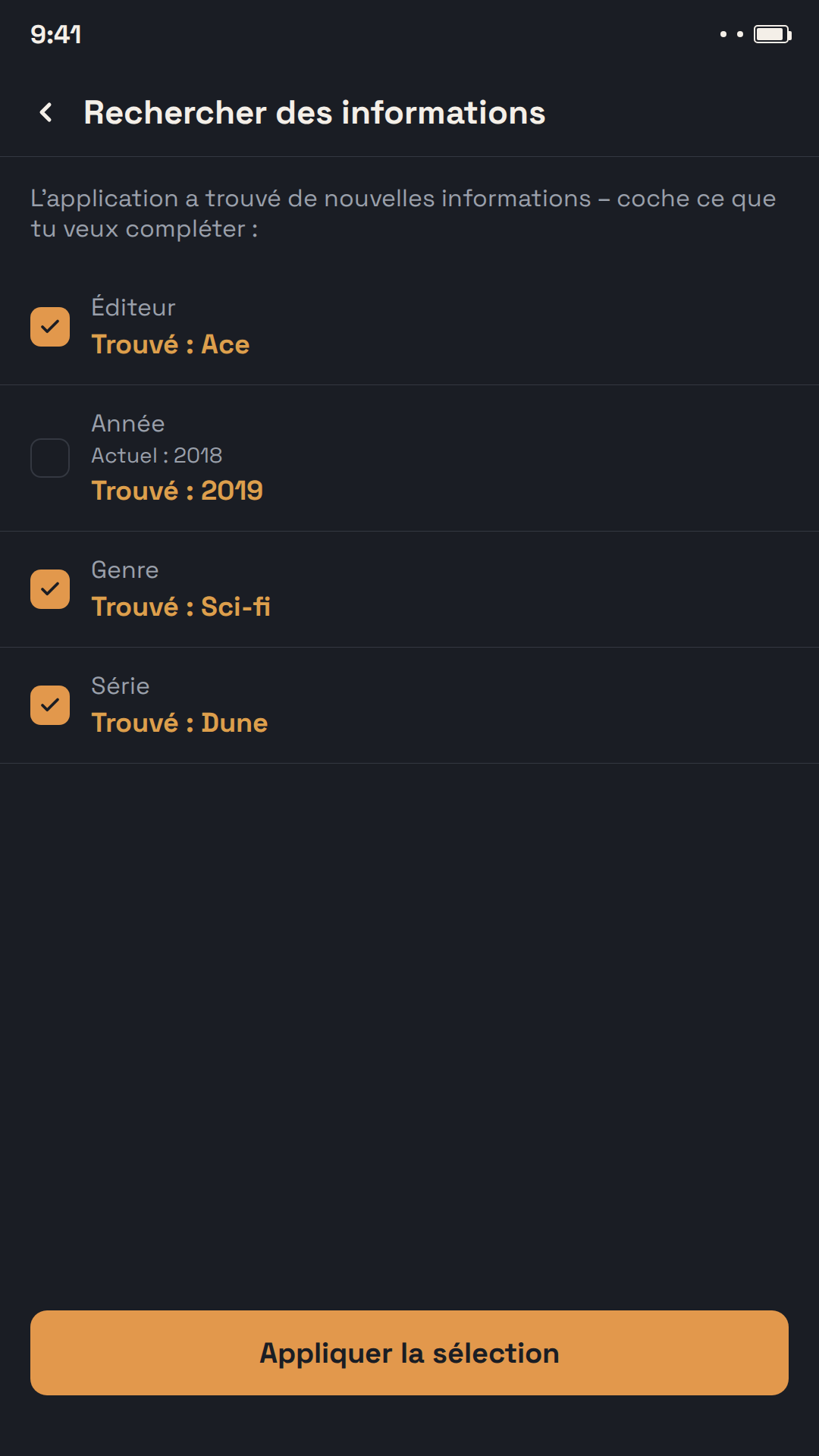
Indique à qui tu as prêté un livre et jusqu'à quand – l'application t'envoie une notification au bon moment. Les livres que tu as toi-même empruntés se gèrent aussi séparément.
⭐
Liste de souhaits partageable
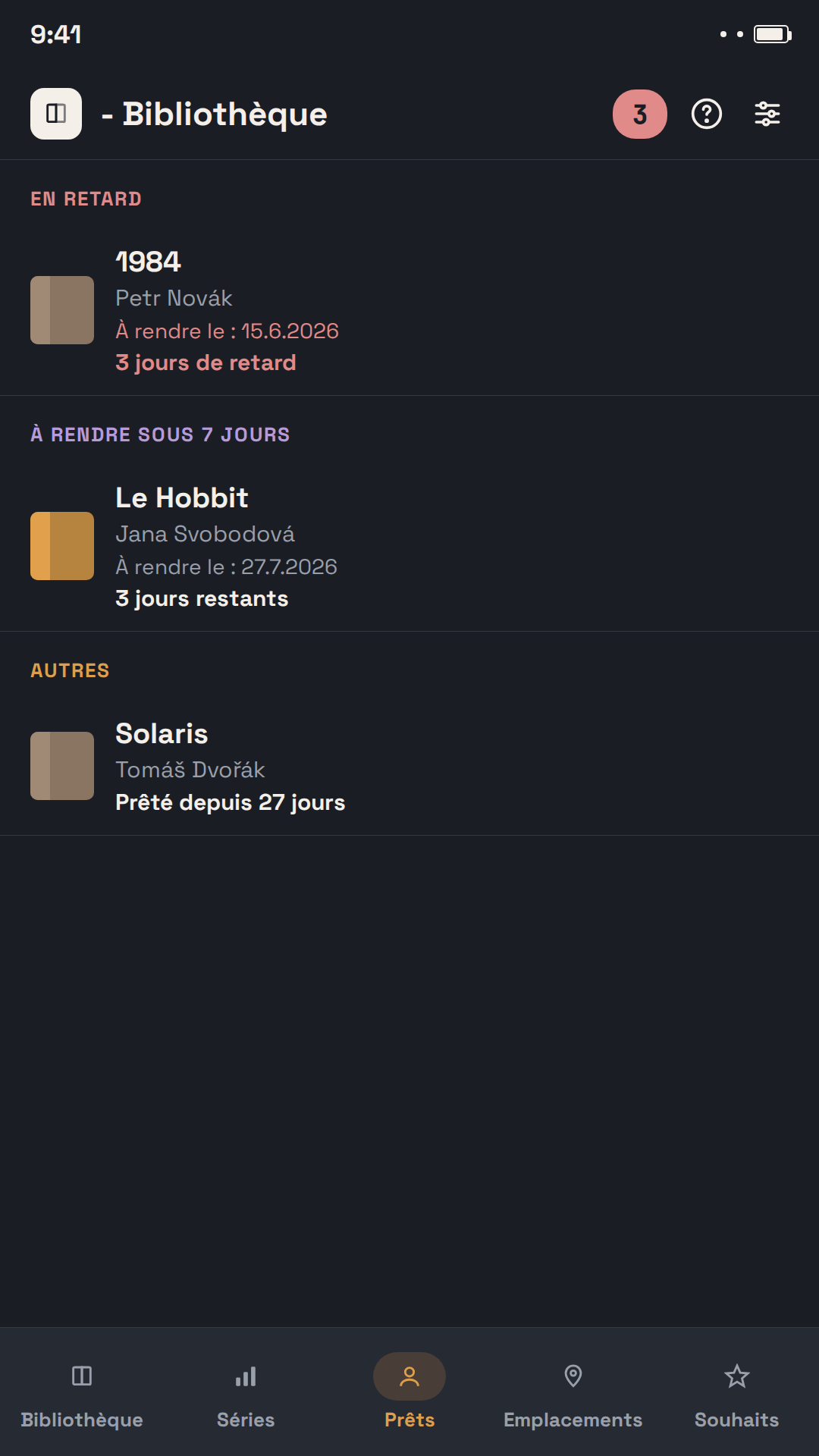
Enregistre les livres que tu aimerais recevoir ou acheter, et partage ta liste avec ta famille ou tes amis – en PDF à imprimer, ou en fichier à importer directement dans une autre u - Bibliothèque. Une liste imprimée porte un QR code : toute personne qui la voit peut obtenir l'appli.
📖
Séries sous contrôle
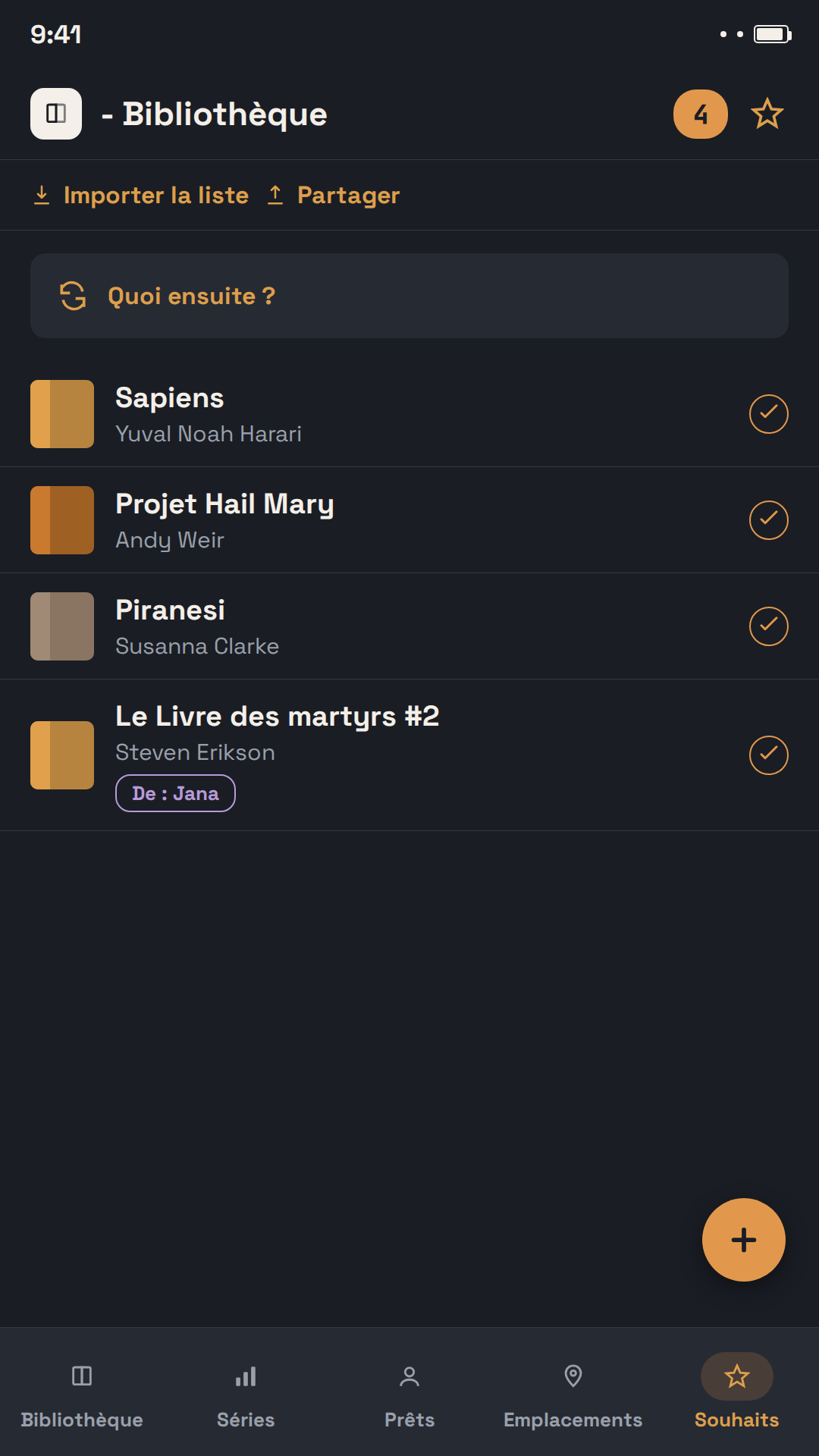
L'application regroupe automatiquement tes livres par série et te montre immédiatement les tomes qu'il te manque.
📊
Statistiques de lecture & bilan annuel
Combien de livres as-tu lus cette année ? Quel est ton genre préféré ? L'application génère automatiquement un bilan de lecture annuel à partager.
🏅
Pièces de collection et doubles exemplaires
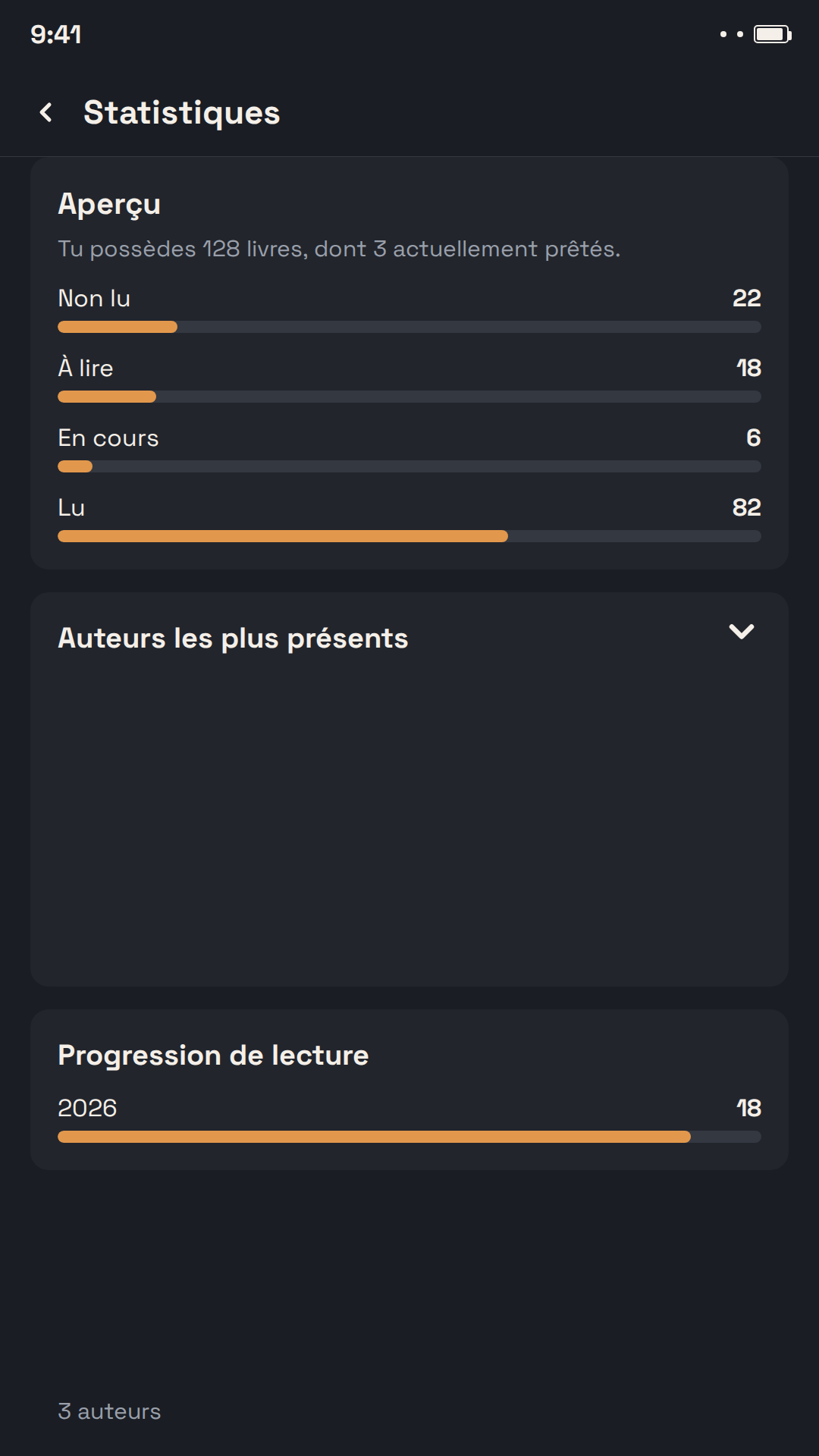
Un livre dédicacé, une première édition ou une édition limitée numérotée ? Marque-le comme pièce de collection – avec numéro d'exemplaire, tirage et une note sur l'origine de la dédicace. Une icône de médaille le signale dans les listes, un filtre n'affiche que ta collection et les statistiques indiquent combien de pièces elle compte et sa valeur. Et si tu possèdes un livre en double, l'application relie les deux exemplaires – chacun garde son emplacement et son prêt, mais les statistiques ne comptent le titre qu'une fois.
🗂️
Des livres en double ? Un seul filtre pour faire le tri
Le filtre « Plusieurs exemplaires » affiche tous les livres que tu possèdes en plusieurs exemplaires, ceux d'un même titre regroupés les uns sous les autres. Il repère aussi les livres ayant le même ISBN que tu n'as pas encore reliés : relie-les d'une touche, ou indique à l'appli qu'il s'agit de livres différents. Sélectionne ensuite les exemplaires en trop et marque-les « Plus en ma possession » d'un coup – ils quittent ta bibliothèque mais restent dans ton historique de lecture.
🔒📱
Tes données t'appartiennent, jusque sur ton écran d'accueil
L'application fonctionne entièrement hors ligne, sans compte ni inscription. Crée à tout moment une sauvegarde complète à conserver dans le cloud ou sur ton ordinateur. Le widget « En cours de lecture » affiche directement sur ton écran d'accueil le livre que tu lis et depuis combien de jours.